.svg)
Thank you! Your submission has been received!
Oops! Something went wrong while submitting the form.

List Management is a built-in capability of Corefactors CRM that lets your sales, marketing, and support teams create, organise, and reuse contact lists—so every bulk communication reaches a clean, well-defined audience without repetitive manual effort.
From a simple file upload to granular data filtering, List Management handles
real-world contact data with the rigour that enterprise teams demand.

Upload contact files in CSV, XLSX, or XLS format. Create a new list from a fresh file, or append new records to an existing list—ideal for teams building their contact base in batches over time.

Export any list or a filtered subset of it at any time. Download the full dataset, valid-only contacts, or invalid records—supporting data analysis, reporting, and compliance workflows.

Mark any list as Telecalling-enabled at the time of upload. It becomes immediately available for auto-dialing campaigns, with lead details surfaced to agents automatically when a call connects.

Every list is stored in one searchable location within the CRM. View the upload date, file name, valid contact count, and the name of who uploaded each list—without digging through local folders or shared drives.

Open any list to view individual records in a structured table. Add new contacts, edit existing entries, or remove records directly within the CRM—no need to modify the original source file.

Every uploaded list is immediately validated. The system separates valid contacts, invalid records, email-specific validity, bounced addresses, and unsubscribed contacts—so your teams always know what they're working with before sending.
Effective communication starts with clean data. Every list in the CRM is validated
automatically giving teams six distinct views to assess and act on contact quality.
Deliver a consistent, personalized customer experience across every stage of the automotive journey without manual follow-ups.
Contacts with complete, correctly formatted records—cleared for immediate use in any campaign.
Records with missing or malformed fields, flagged for review before any outreach is triggered.
Contacts with verified, deliverable email addresses—filtered specifically for email campaigns.
Records with unverified or incorrectly formatted email IDs, automatically separated to protect deliverability.
Addresses that have previously bounced—excluded from sends to protect sender reputation.
Contacts who have opted out, automatically excluded to ensure compliance and respect for customer preferences.
.avif)
Monitor your total contact capacity in real time from the List Manager dashboard.
Every list carries a log of who uploaded it and when. Admins see the uploader name alongside each list—keeping your team accountable and your data governance intact.
List Management is designed to slot into the way your teams already
work—minimal setup, immediate value.
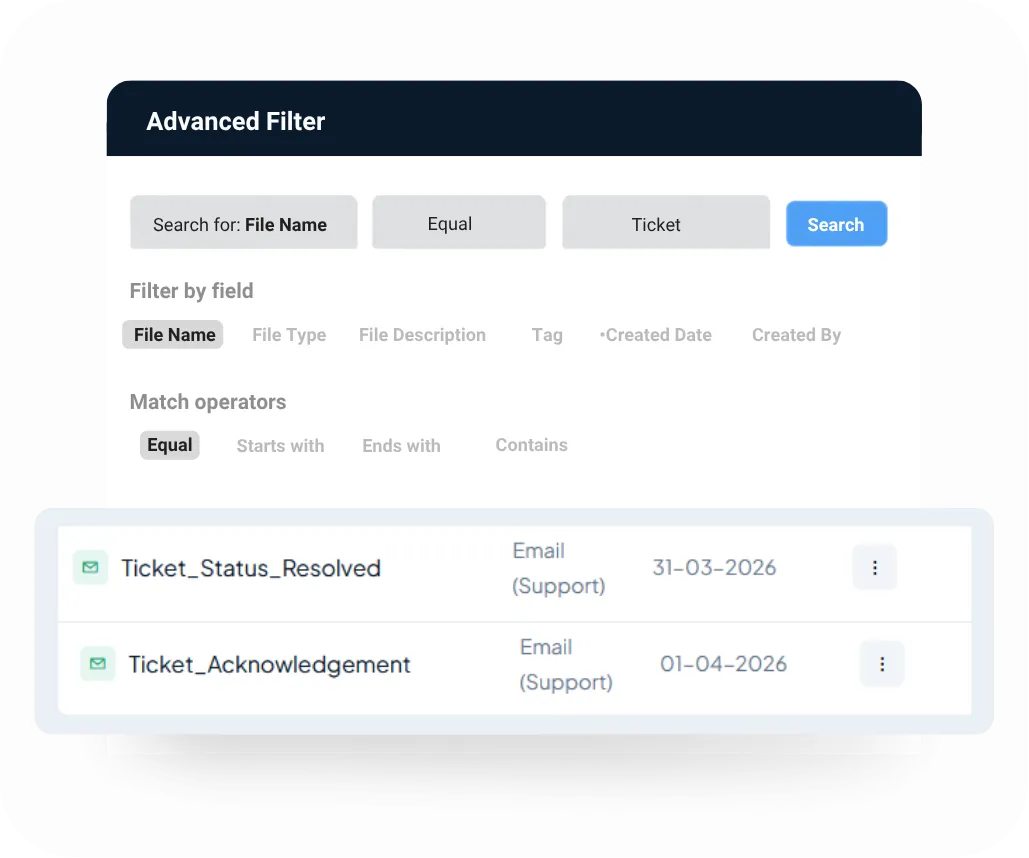
A Target is a specific, filtered segment of a master list based on fields like geography or job title. Stop juggling multiple files for different audiences.
Simply build one parent list, slice it into as many targeted groups as you need, and launch tailored, independent SMS campaigns instantly.

Note: Target creation is available for SMS campaigns only. For email campaigns, the full list is used directly—teams can narrow their audience using the data validation filters available within the list view.
Set visibility at the point of upload. Three access levels give teams control over sensitive contact data without limiting collaboration where it's needed.

Visible to all users in the organisation. Best suited for standard, organisation-wide templates that every team needs access to.

Restricted to the creator only. Ideal for draft templates in progress, personal outreach sequences, or content under review before wider release.

Accessible to a defined subset of users or teams. Enables selective collaboration without opening a template to the entire organisation.
List Management supports every team that communicates at scale—at every stage of the customer journey.
Upload a fresh batch of cold leads and immediately begin outreach via bulk email or SMS—without additional setup or switching between tools.
Maintain dedicated nurture lists for different funnel stages. Reuse the same list across multiple campaign runs as leads progress and the messaging evolves.
Upload a national prospect list, create state-wise or city-wise targets, and run distinct SMS campaigns for each geography—all from a single parent list.
Maintain verified customer contact lists for service updates, policy changes, or scheduled maintenance notifications—so the right customers are always reachable.
Build targeted lists of existing customers segmented by product, plan, or tenure—and activate personalised email campaigns to drive additional revenue.
Send bulk transactional emails or SMS messages—payment reminders, renewal alerts, event invites—using a pre-validated list already stored in the CRM, without any re-upload.
List Management is one of many capabilities that make Corefactors a complete RevOps platform for sales,
marketing, and support teams. Book a personalised demo to see how it fits your business workflow.
.png)



.png)