

10 Best CRM Software in 2026

Heading 1
Heading 2
Heading 3
Heading 4
Heading 5
Heading 6
Lorem ipsum dolor sit amet, consectetur adipiscing elit, sed do eiusmod tempor incididunt ut labore et dolore magna aliqua. Ut enim ad minim veniam, quis nostrud exercitation ullamco laboris nisi ut aliquip ex ea commodo consequat. Duis aute irure dolor in reprehenderit in voluptate velit esse cillum dolore eu fugiat nulla pariatur.
Block quote
Ordered list
- Item 1
- Item 2
- Item 3
Unordered list
- Item A
- Item B
- Item C
Bold text
Emphasis
Superscript
Subscript

10 Best CRM Software in 2026
.png)
Karthik A
Join us on November 6th as Mr. Yash Mishra, Product Manager, Fatakpay, reveals the precise strategies that eliminates the speed trap and guarantees a 30% conversion boost.
Why does choosing the best CRM feel harder than it should be? You start with a simple goal: find customer relationship management (CRM) software that helps you organize leads, track deals, and improve follow-ups. Then suddenly you are comparing feature lists, pricing tiers, integrations, AI capabilities, and dozens of vendor claims.
Every platform says it is powerful. Every demo looks impressive. But what actually works for your business?This is where many growing teams get stuck. Pick a CRM that is too basic, and you outgrow it quickly. Pick one that is too complex, and your team avoids using it. In both cases, the system that was meant to create clarity ends up adding friction. Data becomes unreliable, adoption drops, and leadership loses visibility.
Choosing the right CRM is not about finding the most popular tool. It is about finding the right fit for your sales motion, team structure, and growth plans. The right decision builds momentum. The wrong one slows you down for years.
In this blog, we will break down the ten best CRM software in 2026, what goes wrong when the fit is poor, and how to choose a platform that truly supports your growth. Let’s get started.
Top CRM Options by Category in 2026
1. Best Overall for SMB Growth: Corefactors
Corefactors is becoming the 2026 leader for scaling businesses by providing a true Unified RevOps (Revenue Operations) system. Unlike traditional CRMs that only track sales, Corefactors integrates marketing, sales, support, and success into one platform.
- Eliminates "tool sprawl" with built-in telephony, WhatsApp automation, and field force tracking.
- Why it's trending: It prevents "revenue leakage" by ensuring leads never drop between marketing and sales.
2. Best for Beginners & Small Teams: HubSpot CRM
HubSpot remains the most accessible entry point due to its "Smart CRM" architecture. It leverages the Breeze AI engine to automate lead enrichment and administrative tasks.
- A robust free plan for solo founders and duos (up to 2 users) that includes essential lead capture and email marketing tools.
- Its ChatSpot and Breeze interfaces allow beginners to manage their database and generate content using simple natural language commands.
3. Best for Complex & Large Enterprises: Salesforce Sales Cloud
Salesforce remains the heavyweight champion for global governance. Its focus is now entirely on Agentforce - autonomous AI agents that operate within the Einstein 1 Platform.
- Infinite customization and the Data Cloud, which unifies billions of data points into a single "Customer 360" view.
- Why it's trending: Agentforce can now autonomously resolve customer queries and qualify enterprise leads without human intervention, maintaining strict compliance across regions.
4. Best for Budget-Conscious Value: Zoho CRM
Zoho continues to dominate the "value for money" segment. The 2026 Zia AI update has evolved Zia into an autonomous action hub that can execute tasks independently.
- Deep integration with the 50+ apps in the Zoho ecosystem and the highly proactive Zia assistant.
- Why it's trending: It allows mid-sized businesses to use predictive sales analytics and workflow automation without a massive investment.
5. Best for Sales-Focused Execution: Pipedrive
Pipedrive is designed "by salespeople, for salespeople." In 2026, it is still the top choice for teams that want zero distractions and a purely visual, drag-and-drop pipeline activity-based workflow.
- An AI Sales Assistant that analyzes past performance to suggest the "next best action" for every deal.
- Why it's trending: Its simplicity ensures high adoption rates among sales teams who hate manual data entry and complex menus.
6. Best for Project-Linked Sales: Monday CRM
Ideal for agencies and service-based businesses where the "sale" is just the beginning. Monday's no-code flexibility makes it a favorite for creative workflows.
- Seamlessly transitions a "Closed Won" deal into an active project management board.
- Why it's trending: It provides total visibility into the post-sale delivery process, preventing client friction through shared project dashboards.
7. Best for Microsoft Ecosystems: Microsoft Dynamics 365
For organizations running on Outlook and Teams, Dynamics 365 is the most logical choice. Its Copilot for Sales summarizes meetings and drafts emails natively.
- Native integration with Microsoft Copilot, allowing sales reps to update CRM records directly from Microsoft Teams.
- Why it's trending: It offers 200,000+ partner integrations and a massive global support network for enterprise-grade reliability.
8. Best for High-Volume Lead Management: LeadSquared
LeadSquared is built for industries like Education, Real Estate and Finance where "speed-to-lead" is the only metric that matters. It handles thousands of leads simultaneously without lag.
- An Auto-Dialer and industry-specific templates that ensure no lead goes cold in the queue.
- Why it's trending: The Converse Platform uses AI to handle lead queries instantly across WhatsApp and SMS, qualifying them before a human rep ever gets involved.
9. Best for AI-Assisted Momentum: Freshsales
Part of the Freshworks suite, this CRM is perfect for teams that want modern AI capabilities without the complexity. Its Freddy AI provides deep deal insights.
- Freddy AI suggests "next-best-actions" and scores leads based on their likelihood to close.
- Why it's trending: It bridges the gap between a "basic" CRM and an "enterprise" system with a very short learning curve.
10. Best for Relationship-Heavy Project Delivery: Insightly
Insightly is the standout choice for consultants where stakeholder mapping is vital. It bridges the gap between sales and execution through built-in project modules.
- Features Relationship Linking to map complex webs of contacts and instantly convert deals into project workflows.
Why it's trending: It prevents the "handoff gap" between the sales team and the delivery team, ensuring customer promises are kept.
| CRM Company | Starting Monthly Price (INR / USD) | Best For | Highlights |
|---|---|---|---|
| Corefactors AI | ₹199 ($2.40) | All-in-One CRM (Best Overall Pick) | All-in-one “Box” system (Sales, Marketing, Support, Success). Native cloud telephony and WhatsApp built-in. |
| Salesforce | ₹2,100 ($25.00) | Enterprise Customization | Global standard for complex workflows. Higher learning curve and consultant-heavy setup. |
| HubSpot CRM | ₹1,250 ($15.00) | Inbound Marketing | User-friendly interface. Ideal for content-heavy teams. |
| Zoho CRM | ₹800 ($9.60) | Indian SMB Ecosystem | Strong local support. Best for teams already using Zoho products. |
| Pipedrive | ₹1,160 ($14.00) | Sales Pipeline Focus | Simple visual pipeline with minimal marketing complexity. |
| Monday CRM | ₹1,000 ($12.00) | Project-Heavy Sales | Built on productivity platform for workflow-heavy teams. |
| Microsoft Dynamics 365 | ₹4,100 ($49.00) | Microsoft 365 Orgs | Deep integration with Outlook, Teams, and Excel. |
| LeadSquared | ₹1,250 ($15.00) | High-Volume Execution | Strong for Education, Real Estate & BFSI. Excellent mobile tracking. |
| Freshsales | ₹749 ($9.00) | Modern SMBs | Freddy AI insights with clean modern UI. |
| Insightly | ₹2,400 ($29.00) | B2B Relationship Management | CRM + project management hybrid for agencies. |
10 Best CRM Software in 2026: A Deep Dive
#1 Corefactors CRM
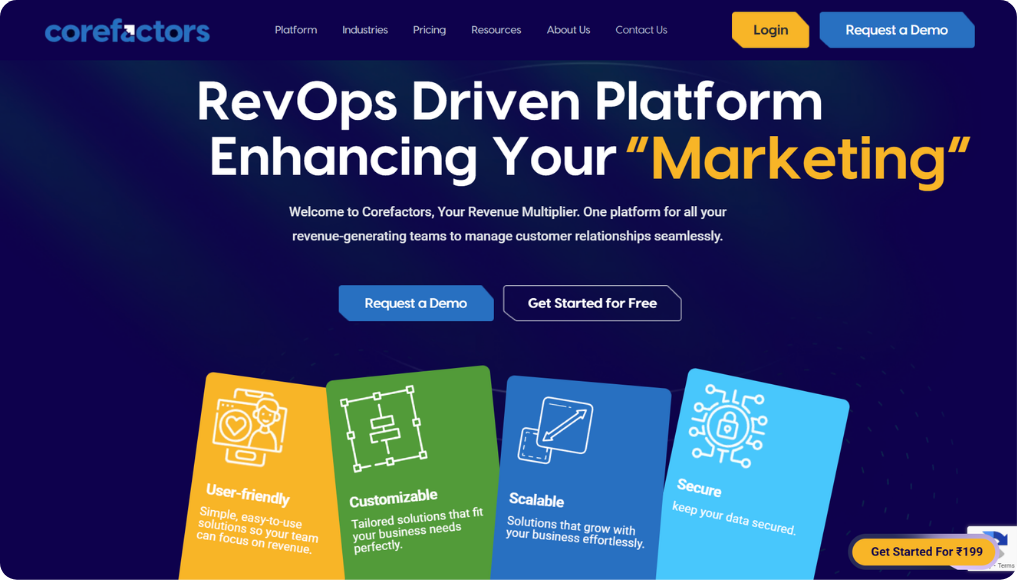
Corefactors is designed as an AI-driven RevOps CRM that connects sales, marketing, support, and customer success inside one unified operating system. Instead of functioning only as a deal tracker, the platform focuses on managing the full customer lifecycle from first enquiry to renewal and expansion. Dedicated modules such as Sales Box, Marketing Box, Support Box, and Success Box keep engagement, ownership, and service history visible across teams, reducing the silos that often cause revenue leakage.
Automation plays a central role in execution. Multi-source lead capture, intelligent routing, AI prioritization, and built-in cloud telephony help teams respond faster and maintain consistent follow-ups across calls, email, SMS, WhatsApp, and IVR. SLA tracking, grievance management, and renewal monitoring extend visibility beyond sales into long-term customer health. A mobile CRM application with geo-tracked activity further supports field teams and remote execution without losing data continuity.
Operationally, Corefactors behaves more like a live revenue command center than a passive database. Workflow triggers, reminders, campaign automation, segmentation, and real-time dashboards guide daily activity while role-based access, encryption, and compliance-ready controls support regulated environments. As organizations scale, open APIs and integrations allow the system to expand without fragmenting customer data or process ownership.
Over time, this structure converts scattered touchpoints into predictable revenue execution. Teams gain shared visibility, leadership receives clearer forecasting signals, and customers experience faster, more consistent engagement across the lifecycle. This lifecycle-first approach positions Corefactors as a practical alternative to marketing-centric, ecosystem-heavy, or customization-intensive CRM models.
Pros:
- All-in-one RevOps platform: Combines sales, marketing, support, and customer success in one centralized system, reducing silos and improving collaboration.
- Strong automation and AI capabilities: Features like AI lead scoring, automated follow-ups, campaign automation, and predictive insights help improve productivity and conversions.
- Omnichannel communication built in: Supports calls, SMS, email, WhatsApp, and telephony logging from a single interface.
- Insightful analytics and dashboards: Easy-to-read reporting and marketing analytics help teams make data-driven decisions.
- Budget-friendly and scalable: Designed to be affordable with flexible pricing and even free access for eligible startups.
- Ease of use and fast implementation: Intuitive UI, quick deployment, customization, and strong onboarding support improve adoption.
Cons:
- Smaller ecosystem and brand reach than major competitors.
- Enterprise-level customization limits in very complex scenarios.
- Market awareness is still growing outside core regions.
Price:
Starts at: ₹199 per user per month
Core plans: ₹899 to ₹3,999 per user per month
Mid tiers add: automation, integrations, and engagement tracking
Top tier adds: AI insights, retention tools, and ticketing
Free trial / demo: Available
Bottom line? Best for SMB and mid-market teams that want AI-driven RevOps execution with unified engagement, strong process control, and fewer revenue leaks across the full customer lifecycle.
#2 Salesforce
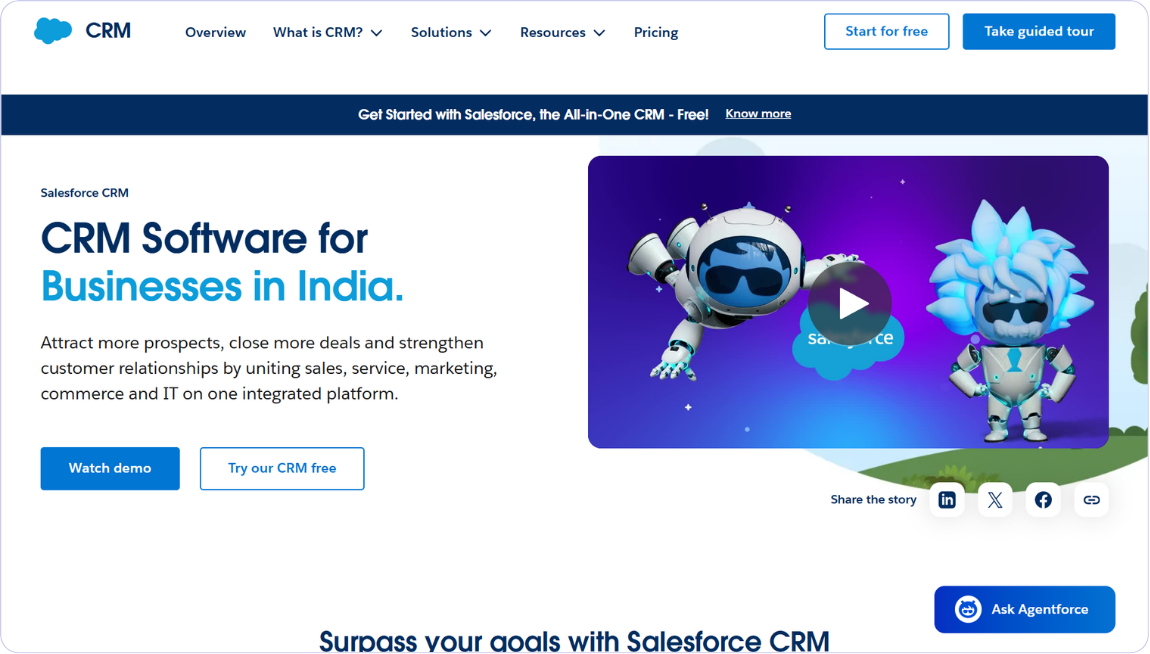
Salesforce sits firmly at the enterprise end of the CRM landscape and is often treated as the default choice when scale and governance matter most. Its strength lies in modeling real revenue complexity through highly configurable data structures, layered automation, advanced analytics, and mature AI across sales and service.
Einstein forecasting, autonomous Agentforce capabilities, and AI-driven workspaces now guide prioritization, engagement, and service resolution with minimal manual effort. The AppExchange ecosystem and deep APIs connect finance systems, support platforms, and custom applications without breaking workflow continuity. The AppExchange ecosystem and deep APIs connect finance systems, support platforms, and custom applications without breaking workflow continuity, while also enabling Salesforce AppExchange development for building and distributing custom enterprise applications. This is why global and multi-team organizations standardize on Salesforce early.
That same flexibility introduces higher licensing costs and meaningful administrative overhead. Enterprise tiers rise quickly, and implementation often requires dedicated admins and multi-month rollout cycles. Smaller teams frequently find the platform heavier than their immediate needs.
Yet for enterprises planning several growth stages ahead, Salesforce evolves beyond a CRM. It becomes the governing system that protects forecasts, enforces compliance, and scales revenue with precision over time. Strong user ratings consistently highlight robustness and integration depth despite cost and learning curve concerns.
Pros:
- Extremely powerful and scalable platform that supports complex enterprise sales processes.
- Deep customization and automation across workflows, objects, and integrations.
- Strong AI and analytics capabilities through Einstein and data cloud tools.
- Massive AppExchange ecosystem covering thousands of business integrations.
- Widely trusted global solution with strong partner and training network.
Cons:
- High total ownership cost once add-ons and support are included.
- Complex implementation and administration often needing certified experts. Overkill for small businesses with simple sales needs.
- Steep learning curve for users compared to simpler SMB CRMs.
Price:
Starts at: ~$25 per user per month (~₹2,000).
Core plans: ~$25 to $175 per user per month (~₹2,000–₹14,500).
Mid tiers add: customization, automation, forecasting, and AppExchange integrations.
Top tier adds: predictive AI, conversation intelligence, sandboxes, and premium support.
Free trial / demo: 30-day trial available for Starter and Agentforce editions.
Bottom line? The strongest choice for large enterprises needing extreme customization, governance, and long-term scalability across complex global operations.
#3 HubSpot
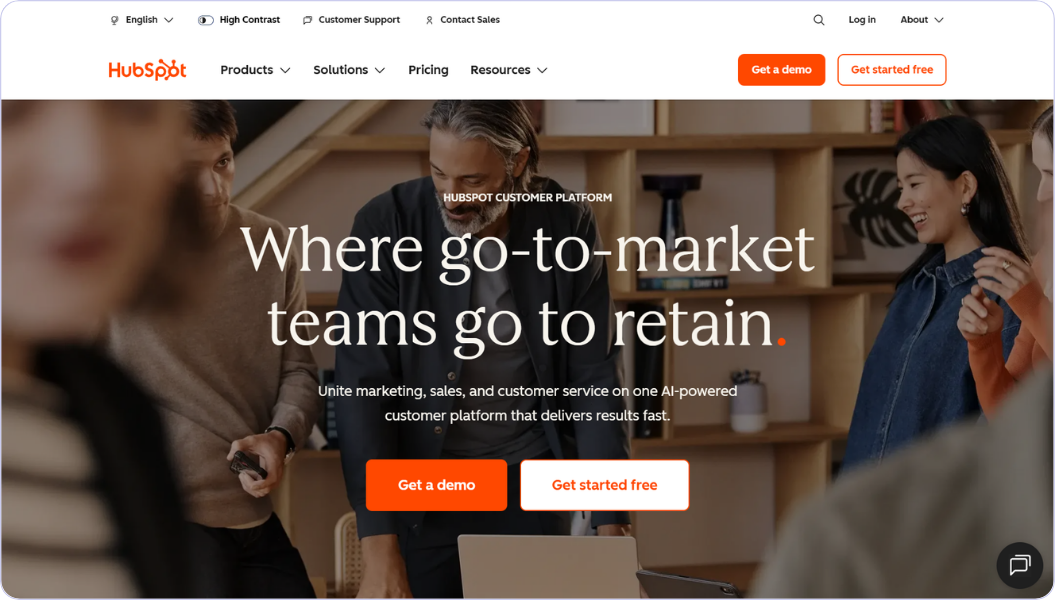
HubSpot is known for making CRM adoption feel simple and immediate, which explains its pull among startups and SMBs building inbound growth engines. A generous free tier, intuitive interface, and fast setup allow teams to launch without heavy technical effort.
Marketing journeys, nurturing workflows, sales outreach, and support conversations live on a unified Smart CRM timeline, so context rarely slips between teams. Automation manages follow-ups, scoring, and engagement while analytics reveal which channels truly drive revenue. Breeze AI extends this with content generation, workflow automation, buyer-intent insights, and conversational assistance across the platform.
The trade-off usually appears later as teams scale. Advanced automation, permissions, deeper AI, and higher contact limits raise pricing across Professional and Enterprise tiers. Still, HubSpot often becomes the daily workspace where growth actually happens rather than a system updated afterward.
Shared data, strong usability, and expanding AI capability create sustained momentum across marketing, sales, and service. This balance makes it a dependable long-term platform for structured, inbound-driven revenue growth.
Pros:
- Very easy interface that teams learn quickly without training.
- Generous free plan covering core sales, marketing, and support tools.
- Strong marketing automation and content tools for inbound growth.
- Clean reporting and dashboards useful for growing revenue teams.
- Large integration marketplace with smooth native connections.
Cons
- Advanced customization limits compared to enterprise CRMs.
- Key automation locked in higher tiers raising real cost.
- Less flexible data structure for very complex processes.
Price:
Starts at: ₹0 per month (free tools for up to 2 users)
Core plans: ₹1,253 to ₹6,250 per user per month
Mid tiers add: automation, team management, reporting, and deeper integrations
Top tier adds: advanced customization, sandbox access, and enterprise controls
Free trial / demo: Free plan available, plus sales-assisted demos for paid tiers
Bottom line? A natural fit for scaling teams that value ease of use, strong inbound alignment, and an all-in-one growth platform that matures over time.
#4 Zoho CRM
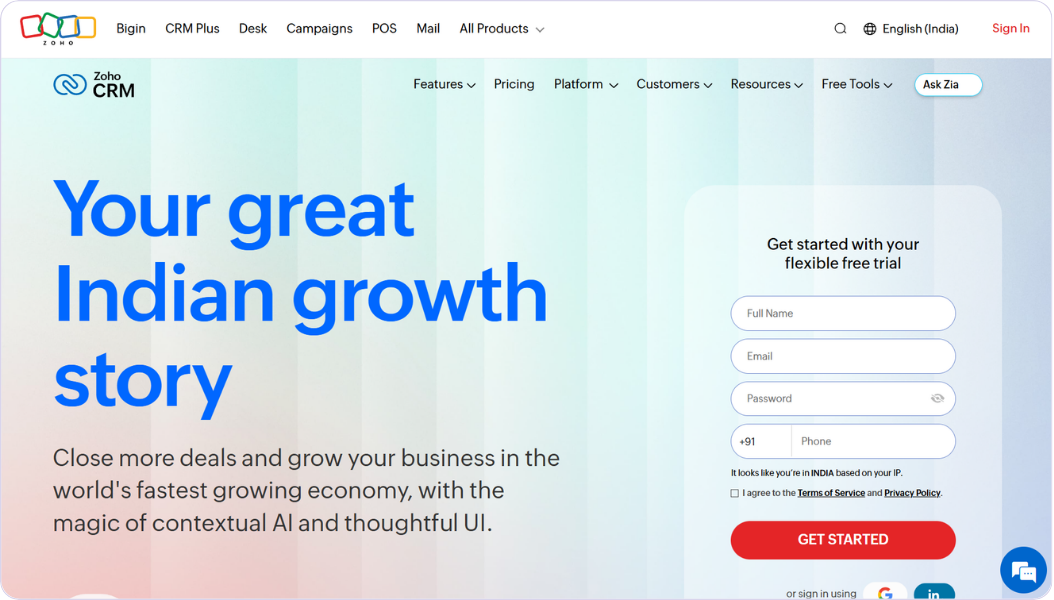
Zoho CRM earns its reputation through a rare mix of affordability, flexibility, and steadily expanding intelligence powered by Zia. Businesses moving beyond spreadsheets can customize pipelines, automation, and reporting without stepping into enterprise pricing.
Deep integration with the wider Zoho ecosystem quietly extends capability into marketing, finance, and support as maturity grows. Predictive scoring, anomaly detection, conversational reporting, and generative assistance make Zia increasingly proactive in daily work.
Very large or highly complex enterprises may still require heavier governance or customization. For most SMBs and mid-market teams, Zoho becomes a stable command layer that unifies customer data and reduces manual tracking. Strong value-for-money ratings and ecosystem depth reinforce its appeal. The result is a cost-to-capability balance that supports steady, sustainable revenue expansion through AI-assisted efficiency.
Pros:
- Affordable pricing across tiers suitable for startups and SMBs.
- Strong customization and workflow automation for varied industries.
- Built-in AI assistant Zia for scoring, prediction, and insights.
- Large Zoho ecosystem integrations across business applications.
- Good scalability from small to mid-enterprise environments.
Cons:
- Reporting configuration takes time for useful dashboards.
- Some integrations are limited by plan or region.
- Support quality varies depending on subscription level.
Price:
Starts at: ₹800 per user per month
Core plans: ₹800 to ₹3,200 per user per month
Mid tiers add: Blueprint automation, CPQ, SalesSignals, and inventory management
Top tier adds: comprehensive AI, journey orchestration, custom AI/ML, and advanced customization
Free trial / demo: Free trial available on all paid plans
Bottom line? A cost-efficient and flexible option for SMBs seeking customization, built-in AI insights, and steady expansion without enterprise pricing pressure.
#5 Pipedrive
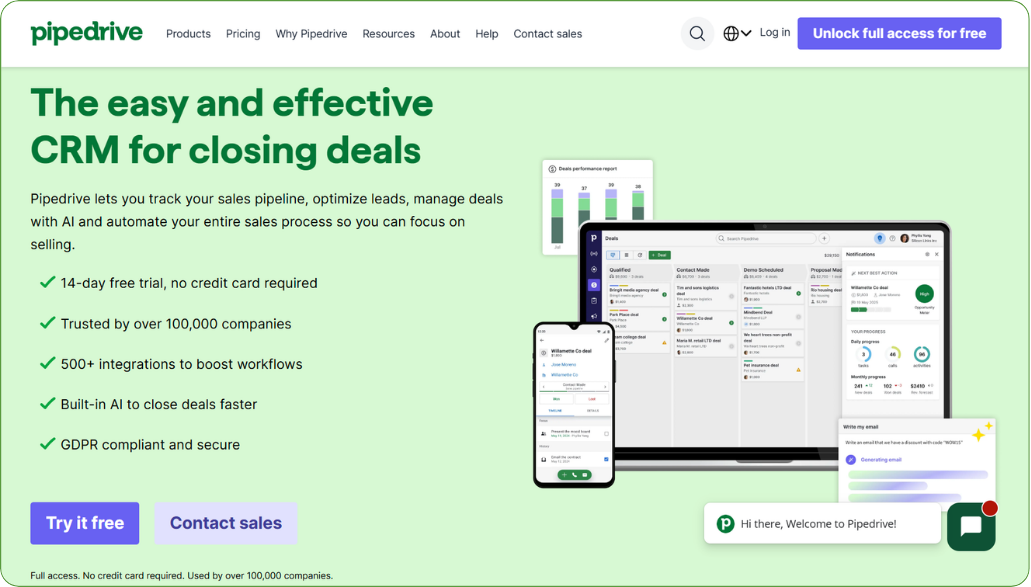
Pipedrive focuses on clarity and execution speed for teams that need momentum without complexity. Its visual pipeline shows deal status, overdue actions, and closing proximity with simple drag-and-drop movement.
Automation handles reminders, sequences, and repetitive updates so representatives spend more time selling. Communication history stays tied to each deal, preserving full context.
Recent AI enhancements add win probability, risk alerts, prioritized next actions, and AI-generated emails or reports without cluttering the interface. Integrations and add-ons extend lead capture, proposals, and marketing gradually.
High usability ratings reflect strong daily adoption and faster sales velocity. The result is disciplined pipelines and reliable forecasting for SMBs that value speed and consistency.
Pros
- Simple visual pipeline design that sales reps understand instantly.
- Very quick setup process with minimal training required.
- Focused sales workflow tools that improve deal tracking.
- Affordable starting price for small teams.
- Good activity and follow-up management for daily selling.
Cons
- Limited marketing and support modules beyond core sales.
- Scaling to enterprise complexity is difficult over time.
- Integration depth is smaller than major platforms.
Price:
Starts at: $14 per user per month (billed annually)
Core plans: $14 to $69 per user per month
Mid tiers add: email automation, workflow automation, and advanced pipeline tracking
Top tier adds: full-cycle sales tools, deeper reporting, and performance optimization features
Free trial / demo: 14-day free trial available on all plans
Bottom line? Ideal for sales-centric teams focused on clear pipelines, fast execution, and consistent deal movement rather than operational complexity.
#6 Monday CRM
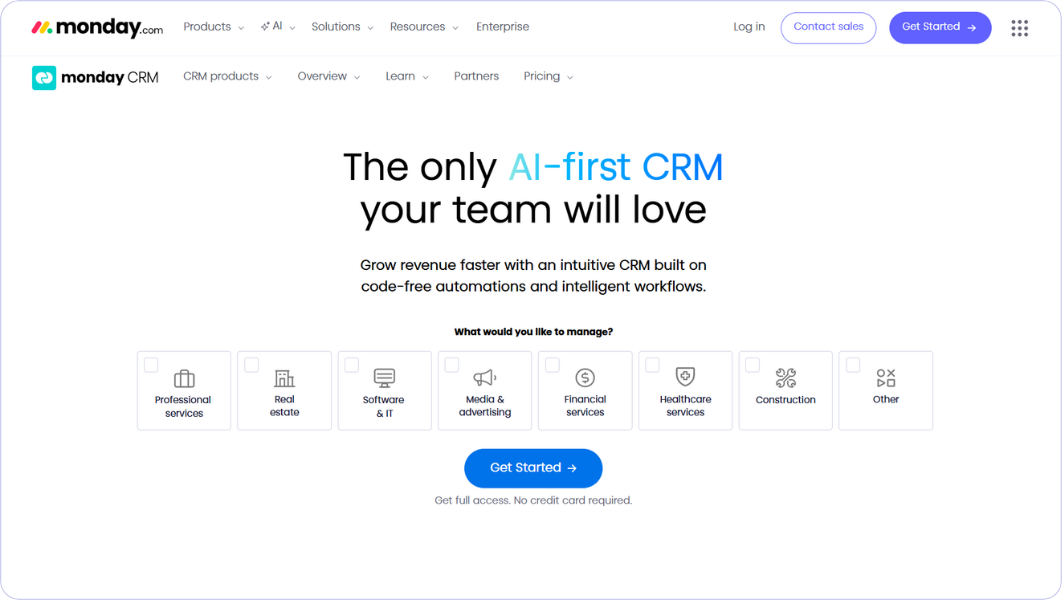
Monday CRM blends sales tracking with operational collaboration, making it effective where closing a deal connects directly to onboarding or delivery. Customizable boards, multiple workflow views, and linked records mirror real business processes instead of rigid CRM structures. Automation connects ownership, notifications, and downstream task creation so handoffs remain visible. This transparency reduces confusion between sales and execution teams.
Over time, Monday becomes a shared operating workspace rather than a traditional CRM. Integrations align communication, documentation, and fulfillment with what sales promised earlier. Missed steps surface quickly and resolve sooner. This alignment supports smoother customer experiences and stronger retention as the organization scales.
Pros
- Highly flexible structure adaptable to many workflows.
- Strong visual dashboards and automations for collaboration.
- Modern and intuitive experience that teams enjoy using.
- Quick onboarding speed with minimal configuration.
- Good project and sales coordination in one workspace.
Cons
- CRM depth is lighter than sales-focused platforms.
- Forecasting and analytics are still maturing in capability.
- Complex sales pipelines need workarounds in some cases.
Price:
Starts at: $14 per user per month (billed annually)
Core plans: $14 to $69 per user per month
Mid tiers add: email automation, workflow automation, and advanced pipeline tracking
Top tier adds: full-cycle sales tools, deeper reporting, and performance optimization features
Free trial / demo: 14-day free trial available on all plans
Bottom line? Well suited for organizations where sales, onboarding, and delivery must stay tightly coordinated inside a shared collaborative workspace.
#7 Microsoft Dynamics 365 CRM
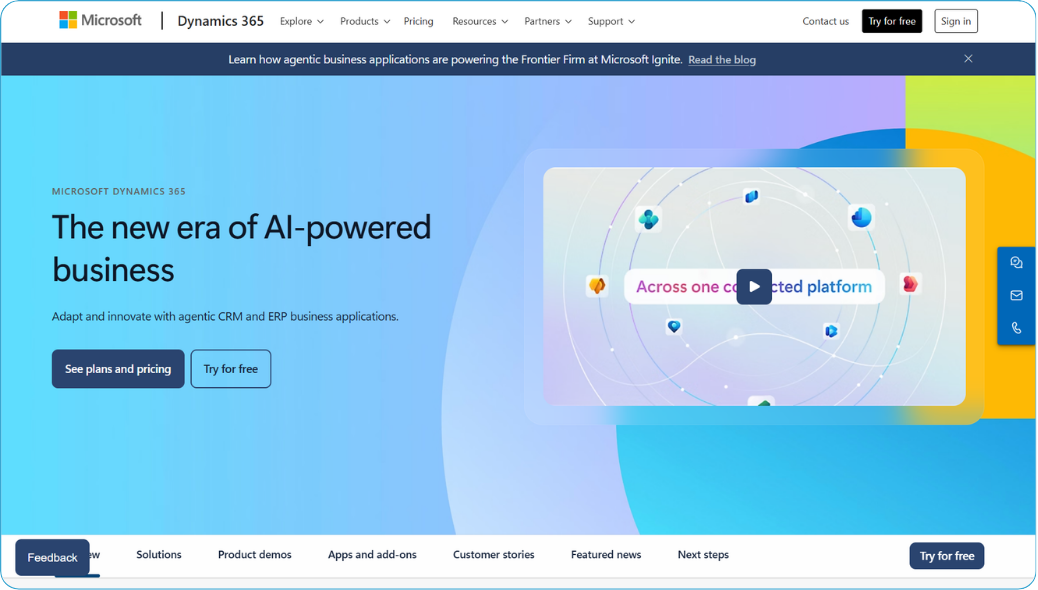
Microsoft Dynamics 365 is built for organizations already operating within the Microsoft ecosystem. Customer data flows naturally into Outlook, Teams, Azure, Power BI, and the broader Power Platform, reducing friction in adoption and reporting.
Advanced analytics, low-code automation, and strong compliance controls support complex governance requirements. Copilot and emerging agentic AI now assist with lead research, engagement, forecasting, and service resolution.
In real usage, Dynamics becomes woven into everyday productivity rather than sitting apart as a separate tool. Revenue insights appear directly within familiar Microsoft environments, enabling faster decisions. For teams trying to better understand this ecosystem, an Ultimate Dynamics 365 CRM Guide can help explain how ERP, analytics, and collaboration tools work together in practice. This cohesion creates an end-to-end operational picture from lead to cash and positions Dynamics as a long-term foundation for data-driven revenue management.
Pros:
- Deep Microsoft ecosystem integration with Outlook, Teams, and Azure.
- Powerful enterprise analytics and forecasting for large organizations.
- Advanced AI insights through Copilot and data services.
- Highly customizable architecture for regulated industries.
- Strong security and compliance standards for enterprises.
Cons:
- Implementation complexity is high compared to SMB CRMs.
- User experience is less intuitive than modern tools.
- Requires technical expertise for maintenance and scaling.
Price:
Starts at: $65 per user per month (billed annually)
Core plans: $65 to $150+ per user per month
Mid tiers add: advanced forecasting, relationship insights, and deeper automation
Top tier adds: AI-driven insights, conversation intelligence, and premium capabilities
Free trial / demo: Free trial and sales-assisted demos available
Bottom line? Best for enterprises already invested in Microsoft’s ecosystem that require unified data, governance, and deep operational visibility.
#8 LeadSquared
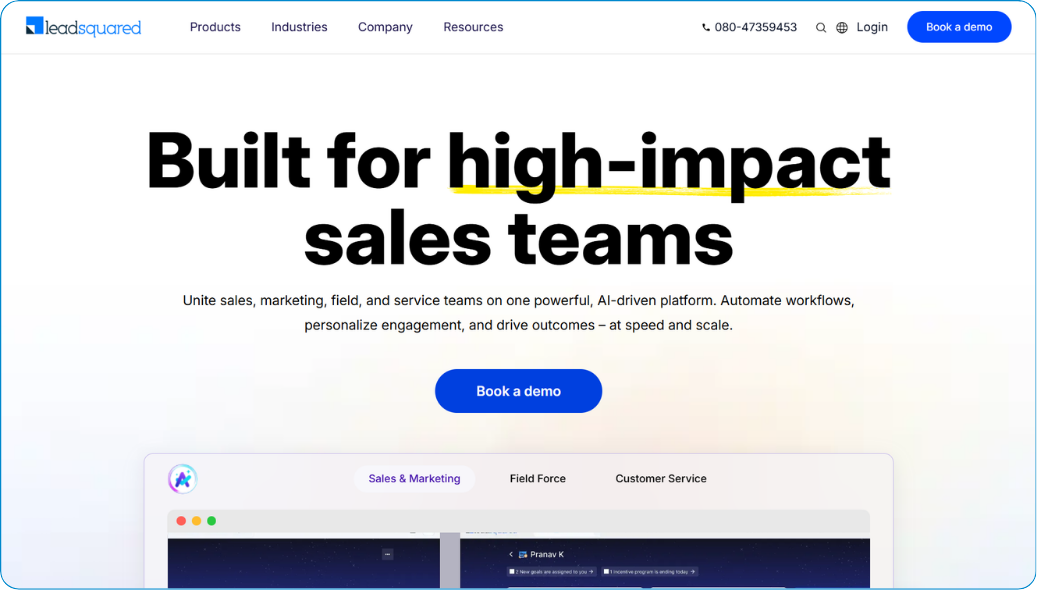
LeadSquared is optimized for high-volume, lead-driven environments where response speed directly shapes conversion outcomes. Automated capture, intelligent distribution, and rapid follow-up workflows ensure prospects receive timely engagement across channels.
Built-in telephony, marketing automation, and detailed activity tracking help teams manage large interaction volumes without losing visibility. AI propensity scoring and behavioral insights further sharpen conversion focus.
Operationally, LeadSquared prevents inbound demand from turning into missed opportunity. Industry-specific templates accelerate deployment in sectors like education, real estate, and financial services. Reporting highlights funnel bottlenecks while automation enforces response discipline. As scale increases, this structure supports growth without sacrificing control or customer experience.
Pros:
- Excellent lead capture and distribution for high-volume funnels.
- Strong marketing automation workflows for inside-sales teams.
- Good fit for education and real estate industries.
- Faster deployment than enterprise CRMs in many cases.
- Competitive pricing for automation depth in India-focused markets.
Cons:
- Reporting flexibility limited for advanced analytics.
- The integration ecosystem is smaller than global leaders.
- Customization depth moderate for enterprise complexity.
Price:
Starts at: about ₹1,250–₹2,500 per user per month (billed annually, Lite/Pro tiers).
Core plans: roughly ₹1,250 to ₹5,000 per user per month across Lite, Pro, and Super editions.
Mid tiers add: lead scoring, distribution, automation, reporting, and pipeline management features.
Top tier adds: advanced workflows, deeper analytics, customization, and enterprise-grade automation.
Free trial / demo: typically includes a risk-free ~15-day trial for CRM/automation packages.
Bottom line? A strong match for high-volume, lead-driven industries that depend on rapid response, automation discipline, and scalable inside-sales workflows.
#9 Freshsales
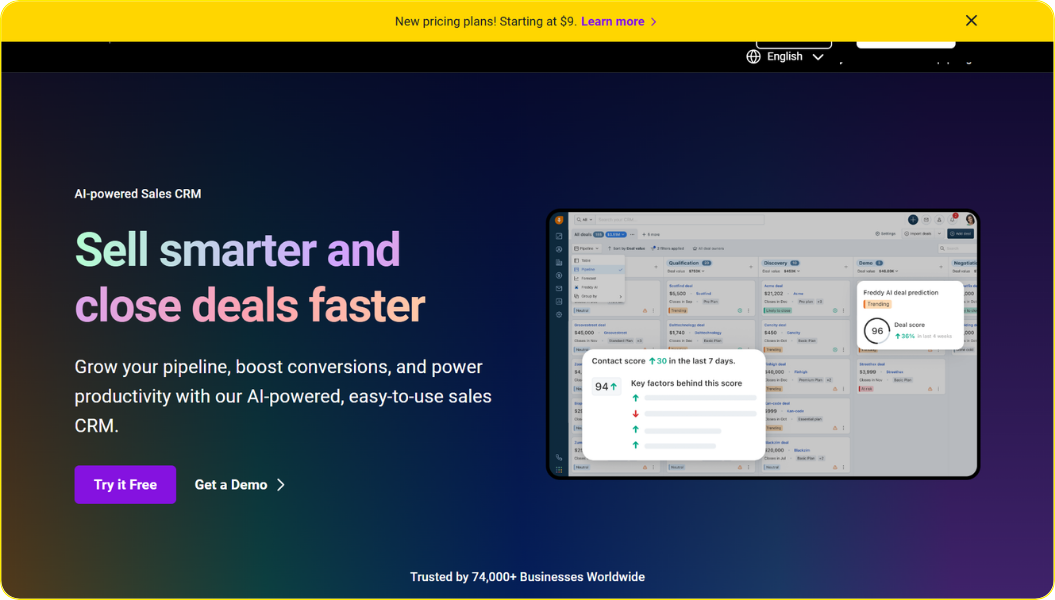
Freshsales delivers modern sales capability without the friction usually linked to CRM implementation. Built-in phone, email, automation, and predictive scoring create a smooth environment where teams begin selling quickly.
Freddy AI adds forecasting insights, conversation analysis, enrichment, and next-best-action guidance. Clean pipelines and intuitive workflows maintain strong usability for growing teams.
Pricing stays accessible across free, Growth, Pro, and Enterprise tiers, allowing gradual expansion. Reviews consistently highlight ease of use, quick onboarding, and practical AI assistance. Limits appear mainly in deep enterprise customization. Even so, Freshsales often becomes a reliable operational core that preserves speed today while supporting future scale.
Pros:
- High AI accessibility through Freddy AI for deal scoring and insights without complex setup.
- Unified communication with built-in cloud telephony and email sequences inside the CRM.
- Modern user interface that teams learn quickly, reducing new hire onboarding time.
- Flexible scaling that allows startups to add advanced governance as they mature.
- Integration with the broader Freshworks ecosystem (Freshdesk, Freshservice) provides a 360-degree view of the customer journey.
Cons:
- Limited customization depth compared to massive, non-standard enterprise platforms.
- Reporting dashboards are less flexible for advanced data engineering needs.
- Smaller integration marketplace than the global giants like Salesforce or Microsoft.
Price:
Starts at: ₹749 per user per month
Core plans: ₹749 to ₹4,899 per user per month
Mid tiers add: AI-based lead scoring, territory management, sales sequences, and automation rules
Top tier adds: field-level permissions, custom modules, forecasting insights, sandbox, and audit logs
Free trial / demo: Free trial available on all plans
Bottom line? Great for growing teams wanting modern AI assistance, quick deployment, and smooth day-to-day sales execution without heavy setup.
#10 Insightly
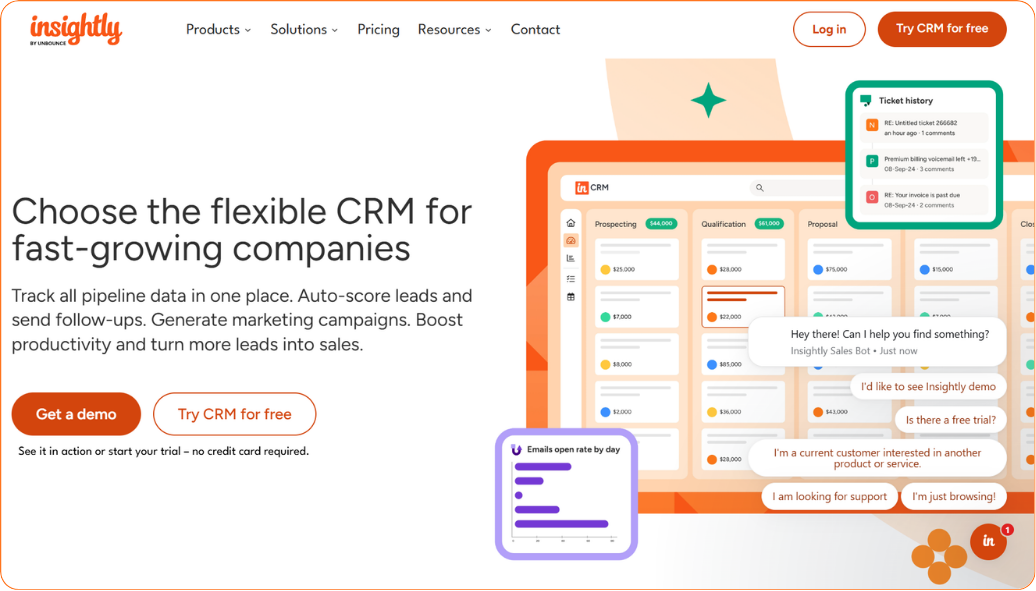
Insightly connects relationship management with project delivery, which is valuable when execution quality determines long-term customer value. Won deals convert directly into projects, tasks, and milestones while preserving full context.
Automation, dashboards, and reporting keep teams aligned on ownership, timelines, and communication. This continuity reduces the gap between closing work and delivering it successfully.
Recent AI additions such as Insightly Copilot assist with task creation, summaries, data cleanup, and proactive insights. Broad integrations maintain transparency across productivity, finance, and collaboration tools. Organizations gain visibility into both revenue generation and fulfillment progress. This alignment supports stronger retention, repeat business, and predictable long-term growth.
Pros:
- Superior post-sale continuity with built-in modules to manage delivery after the close.
- Advanced Relationship Mapping to visualize complex webs of contacts and stakeholders.
- Powerful AppConnect platform for no-code automation with 500+ business applications.
- Granular security and sharing rules to protect sensitive client project information.
- Clean data architecture that excels at custom objects for industry-specific tracking.
Cons:
- Two-interface learning curve when navigating between CRM and Project modules.
- No native telephony, requiring third-party plugins for high-volume calling teams.
- AI capabilities focus more on task productivity than deep predictive deal analytics.
Price:
- Starts at: $29/user/month
- Mid tier: $49/user/month (automation + AI)
- Enterprise: $99/user/month (security + customization)
- Free trial: 14 days, no credit card
Bottom line? Most useful for businesses that need CRM and project delivery connected to improve lifecycle visibility, retention, and repeat revenue.
CRMs that are suited for businesses of all sizes
These platforms scale across startups, SMBs, mid-market, and enterprises with flexible capability.
- Corefactors → Corefactors is built as a lifecycle-driven RevOps CRM, giving SMBs immediate structure today while providing the governance, automation, and visibility required for enterprise-grade growth tomorrow.
- Zoho CRM → Affordable entry with strong scalability into larger deployments.
- Freshsales → Easy start for SMBs while still supporting future expansion.
They balance usability, automation, and pricing without locking teams into one size bracket.
CRMs for enterprise businesses
Built for governance, deep customization, compliance, and complex global operations.
- Salesforce Sales Cloud → Maximum customization, AI, and ecosystem depth.
- Microsoft Dynamics 365 → Strong enterprise analytics and Microsoft ecosystem control.
These require higher investment and technical maturity but scale to very complex environments.
CRMs for medium-sized businesses
Designed for structured growth, automation, and operational visibility without heavy enterprise overhead.
- LeadSquared → Excellent for high-volume industries and inside-sales execution.
- Insightly → Strong relationship tracking tied to project delivery.
- Monday CRM → Useful when sales and post-sale execution must stay aligned.
They provide depth beyond SMB tools while remaining simpler than enterprise platforms.
CRMs for small businesses
Focused on speed, ease of adoption, and clean daily execution for lean teams.
- HubSpot CRM → Beginner-friendly with a strong free tier and simple workflows.
- Pipedrive → Visual, sales-focused pipeline that teams learn instantly.
These prioritize usability and quick setup over deep customization or governance.
How to Choose the Best CRM in 10 Mins
Here is a simple, practical way to choose the best CRM in 10 minutes.
Step 1: Start With the Real Problem
Do not begin with features or pricing. Ask what is actually broken in your current process.
Is it missed follow-ups, messy data, or poor visibility? The right CRM should solve that first, not everything else. If the core pain stays unsolved, nothing else matters.
Step 2: Match the CRM to Your Team Size
Small teams need speed and simplicity. Large teams need control, permissions, and automation depth.
Choosing enterprise software too early slows everyone down.
Choosing a basic tool too late blocks scaling.
Fit matters more than popularity.
Step 3: Check Daily Workflow, Not Feature Lists
Ignore long marketing pages full of capabilities. Instead, imagine one normal working day inside the tool.
Can a rep capture a lead, follow up, and move a deal fast? Can a manager see real pipeline truth in seconds? If daily work feels heavy, adoption will fail.
Step 4: Look for Clean Automation and Data Discipline
Good CRMs prevent mistakes before they happen. They guide entries, trigger reminders, and remove duplicates.
Without this, reports become fiction very quickly. And decisions based on fiction become dangerous.
Step 5: Ensure It Can Grow with You
Switching CRMs later is painful and expensive. So check integrations, customization, and reporting depth early.
You do not need every advanced feature today. But you must know the path exists for tomorrow.
The 10-minute Decision Rule
Choose the CRM that:
- Solves your biggest current pain
- Feels easy in daily use
- Keeps data clean automatically
- Can scale without replacement
If a tool meets these four truths, it is likely the right one. Everything else is just noise.
Learn more: How to Choose the Best CRM Software for Your Business
What Breaks When You Choose the Wrong CRM?
Choosing the wrong CRM doesn't just mean "wasted money" - it can fracture multiple layers of your business operations, often in ways that compound quietly until they're painful to fix.
While the tool itself rarely "breaks" outright, the mismatch creates cascading failures that erode efficiency, revenue, team morale, and customer relationships. Here are the key things that typically break when the fit is poor:
1. Team Adoption and Daily Momentum
- Sales reps, support agents, and marketers stop using (or barely touch) the system because it's clunky, overly complex, or doesn't match how they actually work. Low adoption (often cited as the #1 failure factor, affecting 38-70% of projects) turns the CRM into an expensive spreadsheet alternative or shadow system.
- Result? Deals slip through cracks, follow-ups get missed, context gets lost in emails or notes apps, and manual workarounds multiply. Productivity drops - sales reps might spend only 30-40% of time actually selling instead of chasing data.
2. Data Quality and Trust in Insights
- Poor fit leads to incomplete, duplicate, or inconsistent records (e.g., a rigid structure forces awkward workarounds, or the tool lacks proper deduplication/AI hygiene). Bad data costs businesses massively - estimates tie poor CRM data to 10-20% annual revenue loss per company, with reps wasting hundreds of hours yearly on inaccuracies.
- Result? Forecasting becomes unreliable, leadership makes decisions on garbage-in-garbage-out metrics, and opportunities get deprioritized wrongly. Over time, no one trusts the "single source of truth," so silos persist or worsen.
3. Revenue Flow and Conversion Speed
- Leads leak, response times slow, or high-potential deals stall because the CRM doesn't automate fast enough (e.g., no quick routing in high-volume setups) or buries priorities under complexity.
- Result? Missed sales, longer sales cycles, lower win rates, and direct revenue leakage. In lead-driven businesses, slow or inconsistent follow-up can tank conversions by 20-50% in the first few months post-implementation.
4. Customer Experience and Retention
- Fragmented views mean teams lack full context. Sales promises one thing, support sees another, success tracks poorly. Grievances drag on, personalization fails, and handoffs from prospect to customer feel disjointed.
- Result? Declining satisfaction, higher churn, fewer repeats/upsells, and damaged brand reputation. In worst cases, customers quietly leave because interactions feel impersonal or error-prone.
5. Operational Efficiency and Costs
- Hidden drains pile up: endless custom tweaks to force-fit workflows, repeated training/onboarding cycles, scope creep during setup, or eventual rip-and-replace (which can cost 2-5x the original implementation).
- Result? Budget overruns, frustrated teams burning out on admin, stalled growth (e.g., can't scale without massive rework), and opportunity cost from diverted resources. For scaling teams, a mismatched tool can lock you into inefficiency for years.
6. Cross-Team Alignment and Silos
- Marketing, sales, support, and success stay disconnected if the CRM doesn't unify touchpoints or integrate well (e.g., no seamless handoff to onboarding in project-heavy businesses).
- Result? Duplicated outreach, conflicting messaging, unclear ownership, and internal friction that slows everything down.
In short, the wrong CRM doesn't just fail to deliver ROI. It actively creates drag on what already works, turning a growth engine into a maintenance burden. Failure rates hover around 30-70% (depending on definitions like "didn't meet objectives" or "damaged relationships"), but the real damage often shows up as slower revenue growth, eroded trust, and higher churn rather than a dramatic crash.
The good news? Most of these breaks are preventable by prioritizing fit over features - starting with your actual workflows, team input, scalability needs, and realistic goals instead of hype or "grow-into-it" assumptions. If you're evaluating now (especially in 2026 with AI layers maturing), test for adoption speed, data flow, and daily friction in pilots rather than just demos. That alone dodges most of the pain.
The Best CRM Alternative to HubSpot, Zoho, and Salesforce
Tired of HubSpot’s pricing climbing every time your team grows? Frustrated with Zoho’s “all-in-one” promise that turns into managing multiple apps? Or finding Salesforce powerful but heavy, complex, and expensive to customize?
Most growing businesses run into this sooner or later. They want alignment across sales, marketing, support, and customer success without bloated tiers, ecosystem sprawl, or enterprise-level overhead.
That’s where Corefactors stands out.
Corefactors is built as a RevOps CRM, not just a sales tracker. Unlike HubSpot’s marketing-first structure, Zoho’s modular ecosystem, or Salesforce’s customization-heavy framework, Corefactors brings the entire revenue lifecycle into one connected system. The focus is simple: remove silos, prevent revenue leakage, and keep execution structured from day one.
The platform is organized into four tightly integrated modules:
- Sales Box: AI-powered lead scoring, pipeline management, built-in telephony, IVR, workflow automation, and call intelligence to help teams close faster and maintain process discipline.
- Marketing Box: Omnichannel campaigns across email, SMS, and WhatsApp with structured nurturing and clear attribution.
- Support Box: Ticketing, SLA management, and issue tracking that stays connected to the revenue pipeline.
- Success Box: Renewal tracking, upsell visibility, account health insights, and retention analytics for predictable growth.
Together, these modules operate as a live revenue control center. Real-time dashboards, automated triggers, conversation tracking, and role-based governance are embedded directly into daily workflows. No shadow communication. No disconnected systems. Everything flows through one source of truth.
Governance is built into the platform rather than added later. Role-based permissions, audit trails, compliance-ready controls, and centralized communication logs help organizations scale without losing control. This balance between flexibility and structure is often where teams struggle with larger enterprise platforms or stitched-together ecosystems.
On Capterra, Corefactors holds a 4.4/5 rating. Users frequently highlight its ease of use, customization flexibility, and overall value. The platform is trusted by over 12,000 businesses globally, particularly in industries such as real estate, education, and financial services.
Pricing remains modular and scalable, typically more predictable than tier-based jumps or heavy customization costs seen in some competitors. Implementation tends to be faster, and adoption smoother, because workflows are designed around execution rather than feature overload. If you are moving beyond fragmented tools, rising costs, or operational complexity, Corefactors presents a balanced alternative. Unified. Scalable. Built for revenue alignment.
.png)
| Feature | HubSpot Free | Zoho CRM Free | Salesforce (Free Trial) | Corefactors Free |
|---|---|---|---|---|
| User Seats | 2 users | Up to 3 users | 1 user | 5+ users |
| Contacts / Leads | Unlimited | Up to 5,000 contacts | Unlimited | Unlimited |
| Automation Workflows | Basic | Basic | Full (trial only) | Advanced automation included |
| Integrations | HubSpot ecosystem tools | Limited integrations | Wide integrations (trial only) | No-limit supported apps |
| Support | Email & community | Forum & email support | Email & chat | Full support |
| Free Duration | Free forever | Free forever | 30-day trial | 1-Year Free |
Bottom line?
Choosing the best CRM is less about feature depth and more about operational fit. The platform must support how teams capture leads, move deals, and serve customers daily. When usability, clean data flow, and scalability work together, the CRM becomes a reliable revenue engine instead of a passive database.
Across the current CRM landscape, each category solves a different business priority. Enterprise systems provide strong control, governance, and customization but require higher cost and effort. Lightweight tools deliver speed and easy adoption yet may limit long-term growth flexibility. Unified RevOps-focused platforms attempt to balance both by connecting the full customer lifecycle in one environment.
For decision-makers, the takeaway is practical and clear. Prioritize workflow fit, consistent adoption, and trustworthy data before advanced capabilities. A CRM that teams genuinely use will produce clearer forecasts, faster execution, and stronger customer relationships over time. That steady operational clarity is what ultimately drives sustainable revenue growth.
Heading 1
Heading 2
Heading 3
Heading 4
Heading 5
Heading 6
Lorem ipsum dolor sit amet, consectetur adipiscing elit, sed do eiusmod tempor incididunt ut labore et dolore magna aliqua. Ut enim ad minim veniam, quis nostrud exercitation ullamco laboris nisi ut aliquip ex ea commodo consequat. Duis aute irure dolor in reprehenderit in voluptate velit esse cillum dolore eu fugiat nulla pariatur.
Block quote
Ordered list
- Item 1
- Item 2
- Item 3
Unordered list
- Item A
- Item B
- Item C
Bold text
Emphasis
Superscript
Subscript
Frequently Asked Questions (FAQs)
1. What should businesses evaluate first when choosing a CRM?


Start with the core operational problem you need to solve. The right CRM should remove friction from daily execution immediately.
2. Is price or functionality more important in CRM selection?
Neither matters without strong adoption from the team. Usability and workflow fit usually deliver the highest long-term value.
3. How do companies know they have outgrown their current CRM?
Warning signs include unreliable data, missed follow-ups, and limited reporting visibility. Growth slowing despite strong demand is another common indicator.
4. Are AI-powered CRMs necessary in 2026?
AI increasingly improves prioritization, automation, and forecasting accuracy. However, structured processes and clean data remain the real foundation.
5. Can one CRM handle sales, marketing, support, and success together?
Yes, modern RevOps-driven platforms are designed for full lifecycle visibility. This unified approach reduces silos and improves long-term customer value.






.png)


.png)