


Bulk Email Campaigns from Lead Box – Create and Launch Campaigns Without Leaving Lead Box

Bulk Email Campaigns can now be initiated directly from Lead Box, allowing users to select leads and launch campaigns without navigating separately to the Marketing module.
This enhancement streamlines campaign execution by connecting Lead Management and Email Campaign workflows in a single flow, while continuing to support standard campaign reporting and tracking.
Earlier, users had to manually prepare lists or switch modules before creating campaigns, making the process slower and less intuitive. With this enhancement, campaign execution now becomes contextual to lead selection inside Lead Box.
What’s New
Direct Campaign Execution from Lead Box
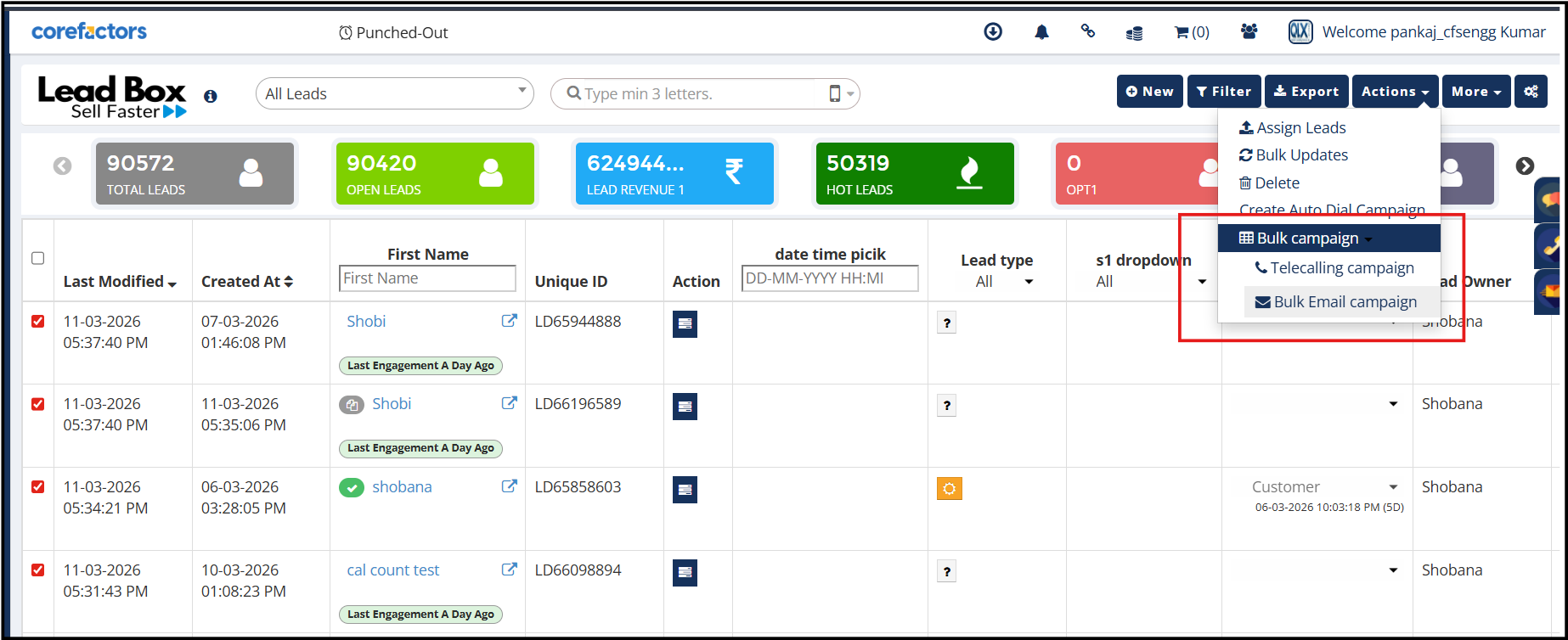
Users can now select leads using checkboxes and initiate campaigns directly through:
Actions → Bulk Campaign → Bulk Email Campaign
This removes unnecessary module switching and enables faster execution directly from the active lead workspace.
Guided 3-Step Campaign Workflow
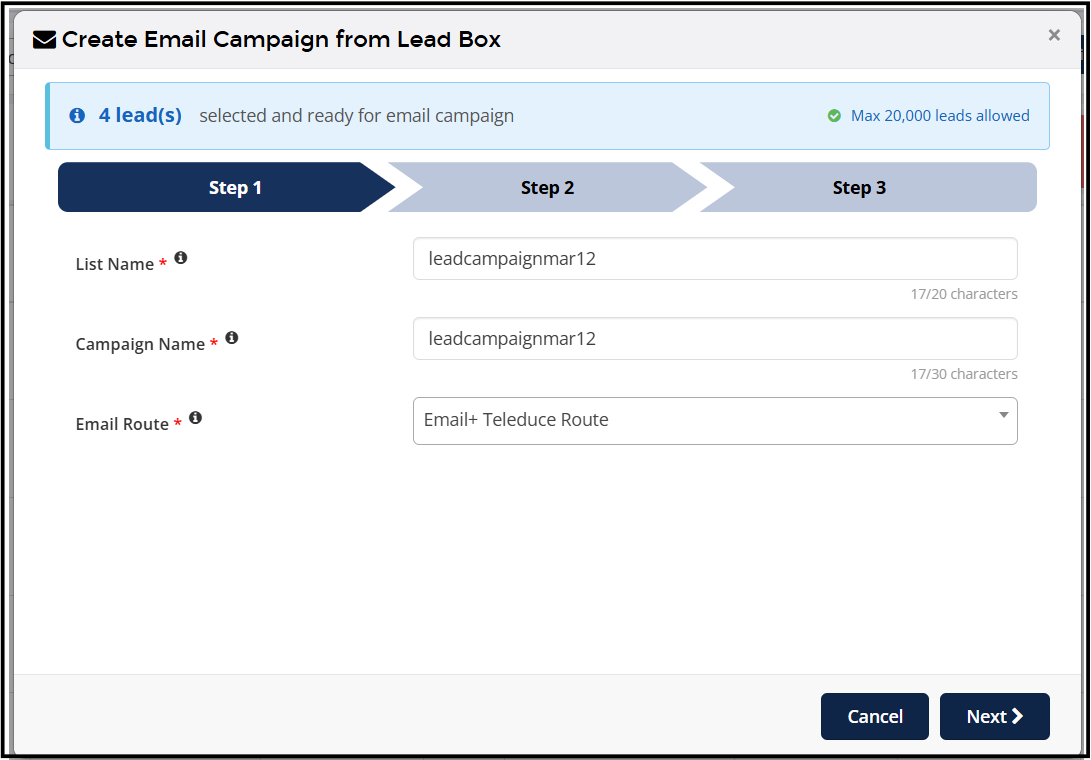
Campaign setup now follows a structured 3-step process:
Step 1: Configure List Name, Campaign Name, and Email Route
Step 2: Configure Template, Subject, Sender Name, and Reply-To Details
Step 3: Send Test Email, Schedule Campaign, or Execute Immediately
This guided workflow simplifies campaign creation and improves usability.
Smart Subject Handling
The system now intelligently handles email subjects based on the selected template:
• If the template already contains a subject, it is auto-populated
• If no subject exists, users are prompted to enter one manually
This ensures campaigns are always sent with valid subject lines while reducing manual effort.
Improved Validation & List Handling
To maintain cleaner campaign management:
• List Names must be unique
• Campaign Names must be unique
• Lists are created only after campaign execution or scheduling
This prevents unnecessary draft lists and avoids duplicate campaign confusion.
Unified Campaign Visibility
Campaigns created from Lead Box automatically appear under:
Marketing → Email → Campaign Report
This ensures centralized reporting, tracking, and analytics across all campaign sources.
Why It Matters
• Faster campaign execution from Lead Box
• Reduced manual effort and module switching
• Better continuity between lead selection and campaign execution
• Cleaner campaign organization and reporting
• Improved operational efficiency for Sales and Marketing teams



.png)


.png)