


Download Complete Ticket Activity History as PDF

Support Box now allows users to download the complete activity history of a ticket as a PDF directly from the Activity Log.
The downloaded PDF provides a structured view of all important ticket activities in chronological order, helping teams maintain records, share ticket history externally, and support audit or compliance-related requirements more efficiently.
What’s New
Download Complete Ticket Activity as PDF
A new Download PDF option is now available inside the Ticket Activity Log.
Users can generate and download the complete ticket activity history in a single document for reference and sharing purposes.
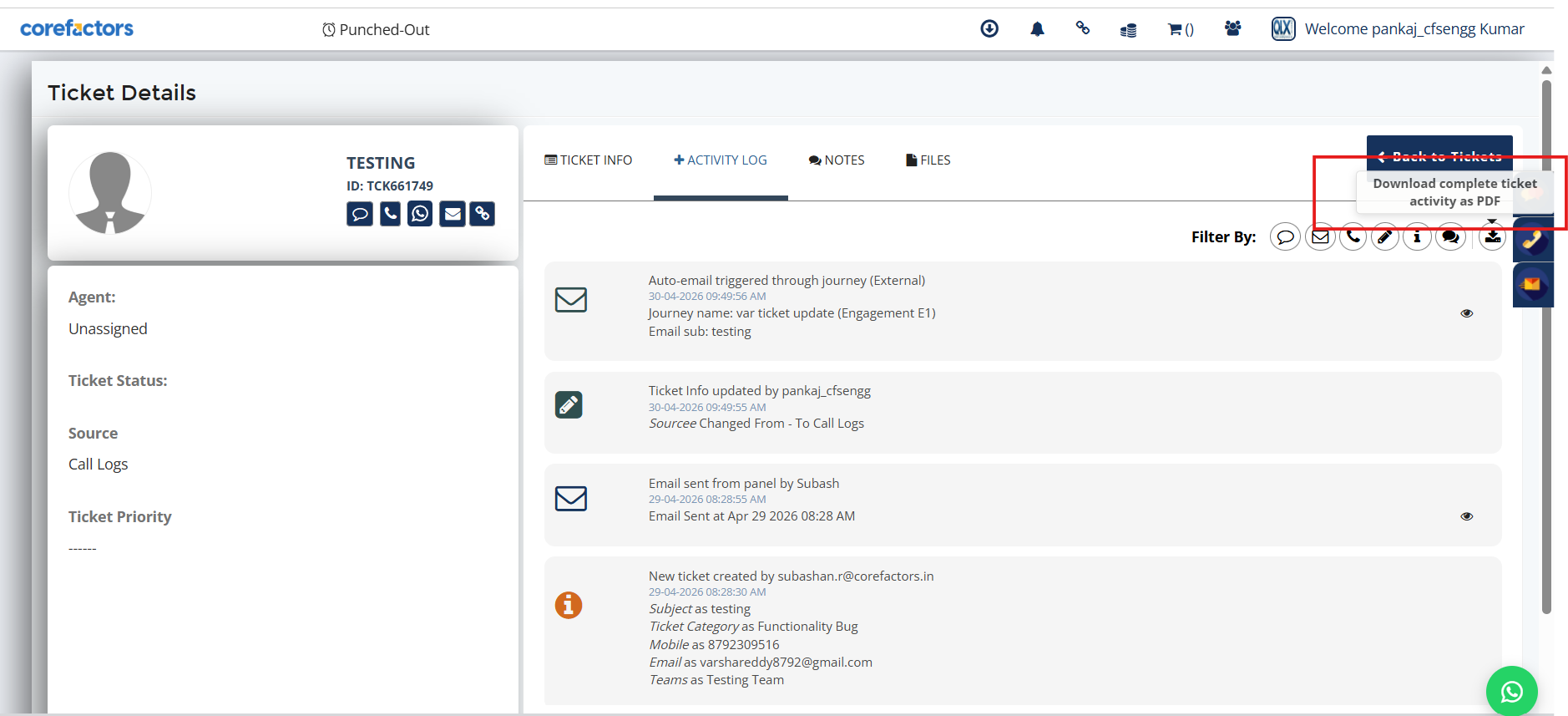
Complete Activity Timeline in One Document
The PDF captures important ticket activities across the ticket lifecycle, including:
• Ticket updates
• Assignments and reassignments
• Status changes
• Activity log updates
• Other important ticket actions
All activities are displayed in chronological order for better readability and tracking.
Consistent CRM Activity Visibility
The downloaded PDF reflects the same activity information available inside the CRM Activity Log, ensuring consistency between system records and exported documents.
Why It Matters
• Simplifies ticket history sharing
• Helps maintain structured support records
• Improves audit and compliance readiness
• Provides complete visibility into ticket lifecycle activities
• Makes activity verification and tracking easier



.png)


.png)