


Ticket Activities Enhancement

The Ticket Activities section in Support Box has been enhanced to provide clearer and more structured visibility into ticket updates and actions.
Admins and agents can now track ticket creation, assignments, journey automations, email activities, status updates, and custom field changes from a single activity timeline. The updated format makes ticket history easier to understand and helps teams quickly identify what actions were performed on a ticket.
What’s New
Structured Activity Format
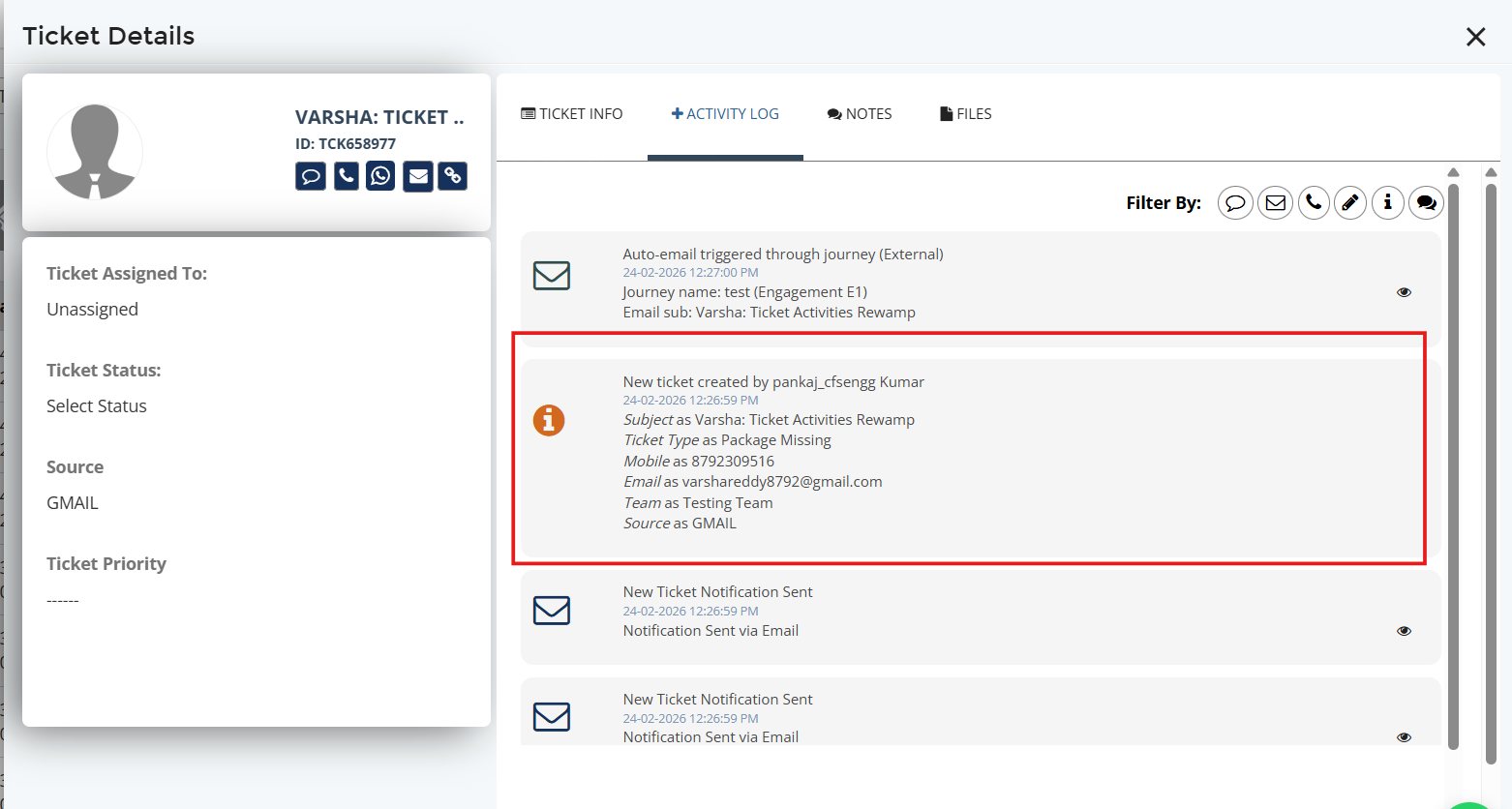
Ticket activities are now displayed in a cleaner and more standardized format, making updates easier to read and track across the ticket lifecycle.
Standardized Visibility into Ticket Actions
The Ticket Activities timeline has been enhanced with a more structured and standardized format for tracking important ticket actions and updates.
Activities now provide clearer visibility into:
• Ticket creation through Manual, API, and Email-to-Ticket flows
• Manual ticket updates and modifications
• Manual and auto-assignment activities
• Notes and internal updates
• File upload activities
• Journey automation actions
This helps teams easily understand ticket movement, actions performed on a ticket, and the overall ticket lifecycle from a single timeline.
Custom Field Change Tracking
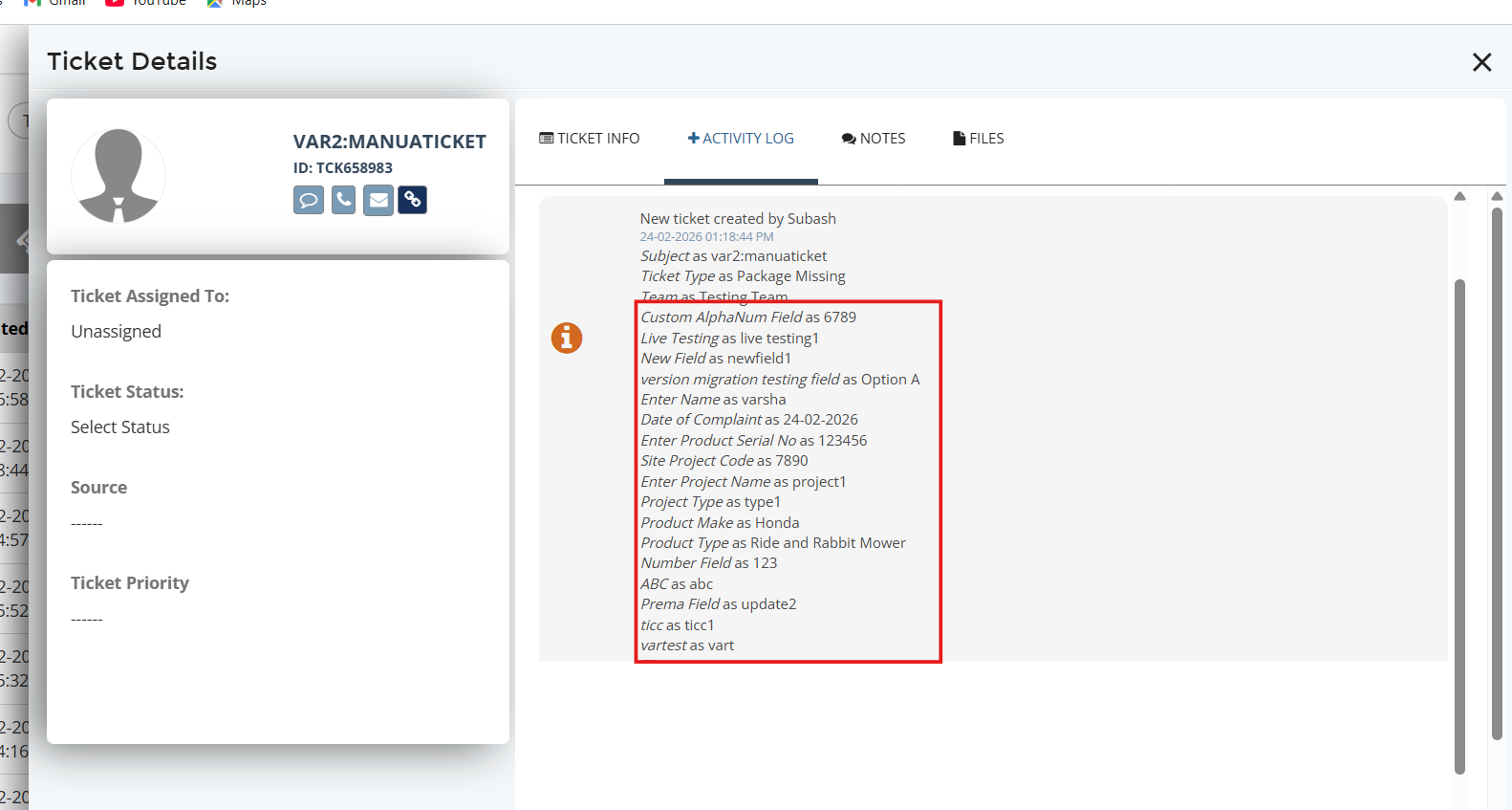
Custom field updates now display both previous and updated values, giving teams better visibility into ticket data changes.
Why It Matters
• Better visibility into ticket history and updates
• Easier troubleshooting and tracking
• Improved transparency across assignments and automations
• More organized and readable activity tracking



.png)


.png)