


Ticket Merge for Support Box

Support Box now supports Ticket Merge, allowing support teams to combine multiple related or duplicate tickets into a single Primary Ticket.
Instead of handling the same issue across multiple tickets, agents can now manage communication, updates, and resolution from one centralized ticket while still maintaining visibility into merged ticket history and context.
This helps reduce duplicate handling, avoids fragmented communication, and improves overall ticket management efficiency.
What’s New
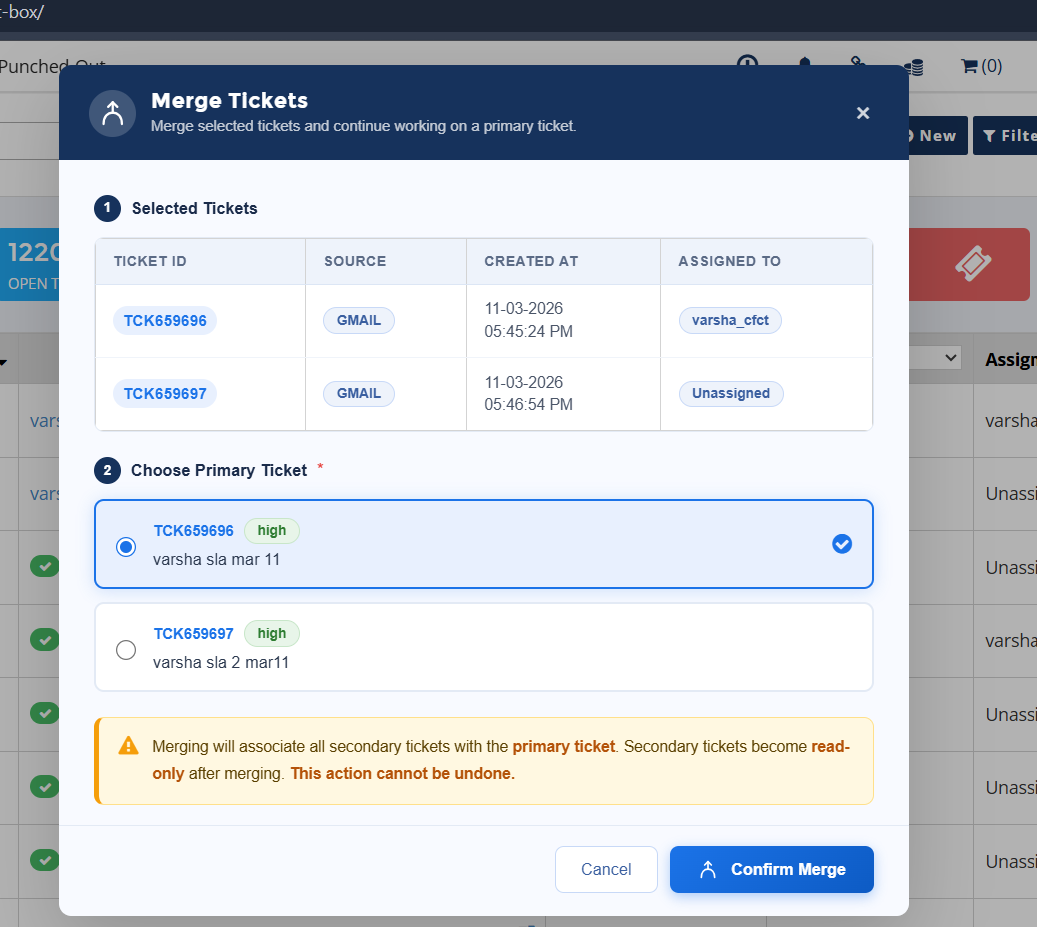
Merge Multiple Related Tickets
Agents can now select and merge multiple tickets into one Primary Ticket.
During the merge process:
• One ticket becomes the Primary Ticket
• Remaining tickets become Secondary Tickets linked to the primary ticket
This helps teams handle related customer issues from a single ticket flow instead of managing separate parallel conversations.
Secondary Tickets Automatically Updated
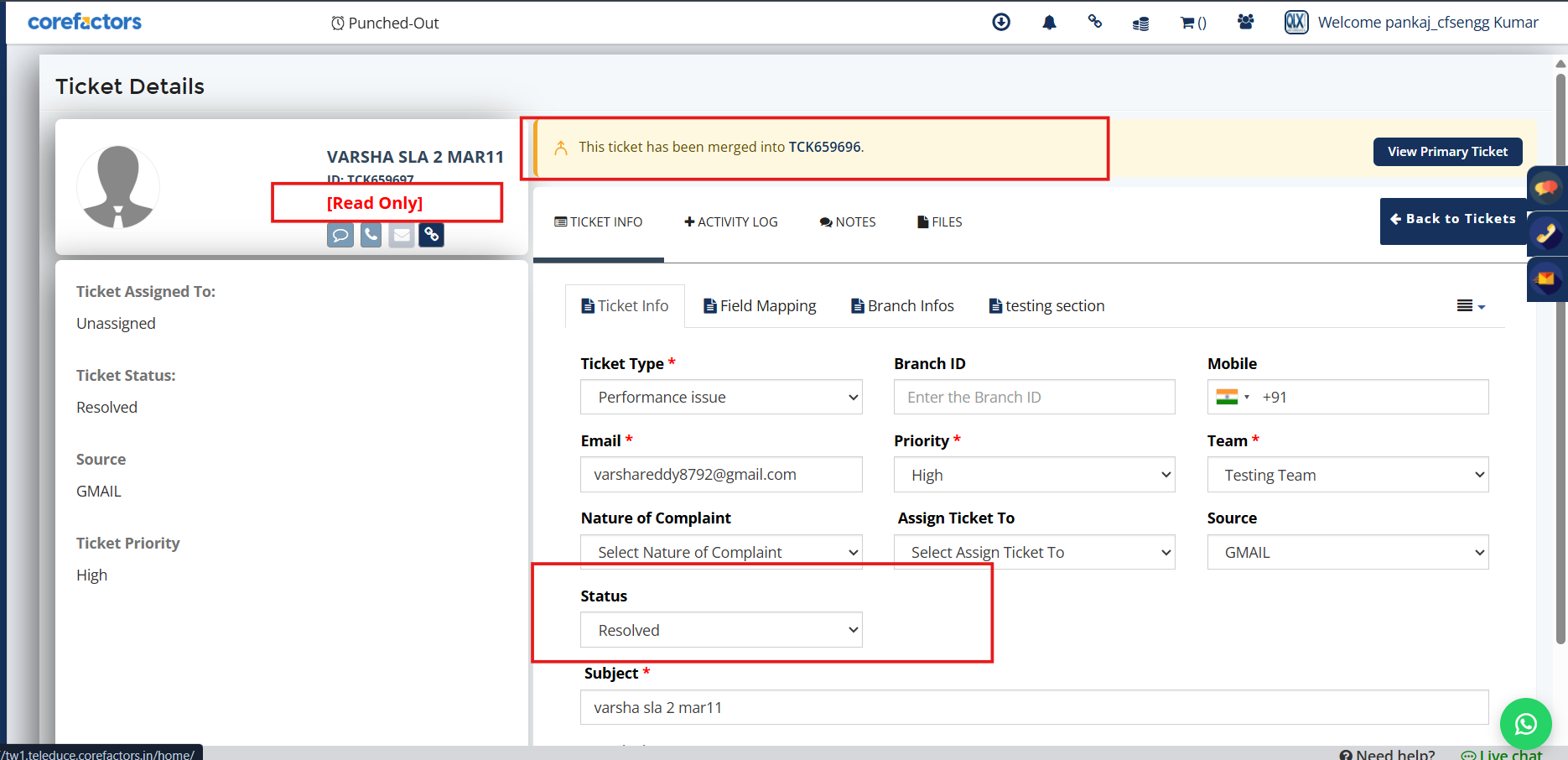
Once merged, secondary tickets are automatically marked as:
Resolved (Merged)
A merge notification is also displayed inside the secondary ticket, helping agents clearly understand that the ticket is already associated with another active ticket.
Centralized Communication & Updates
After merge, all future communication and ticket updates continue only through the Primary Ticket.
This helps avoid:
• Duplicate replies to customers
• Multiple agents responding separately
• Scattered communication across tickets
SLA Handling During Merge
SLA tracking continues only for the Primary Ticket.
For secondary tickets:
• SLA timers automatically stop at the time of merge
This ensures cleaner SLA tracking for related issues managed under one ticket.
Merge Visibility in Ticket Activities
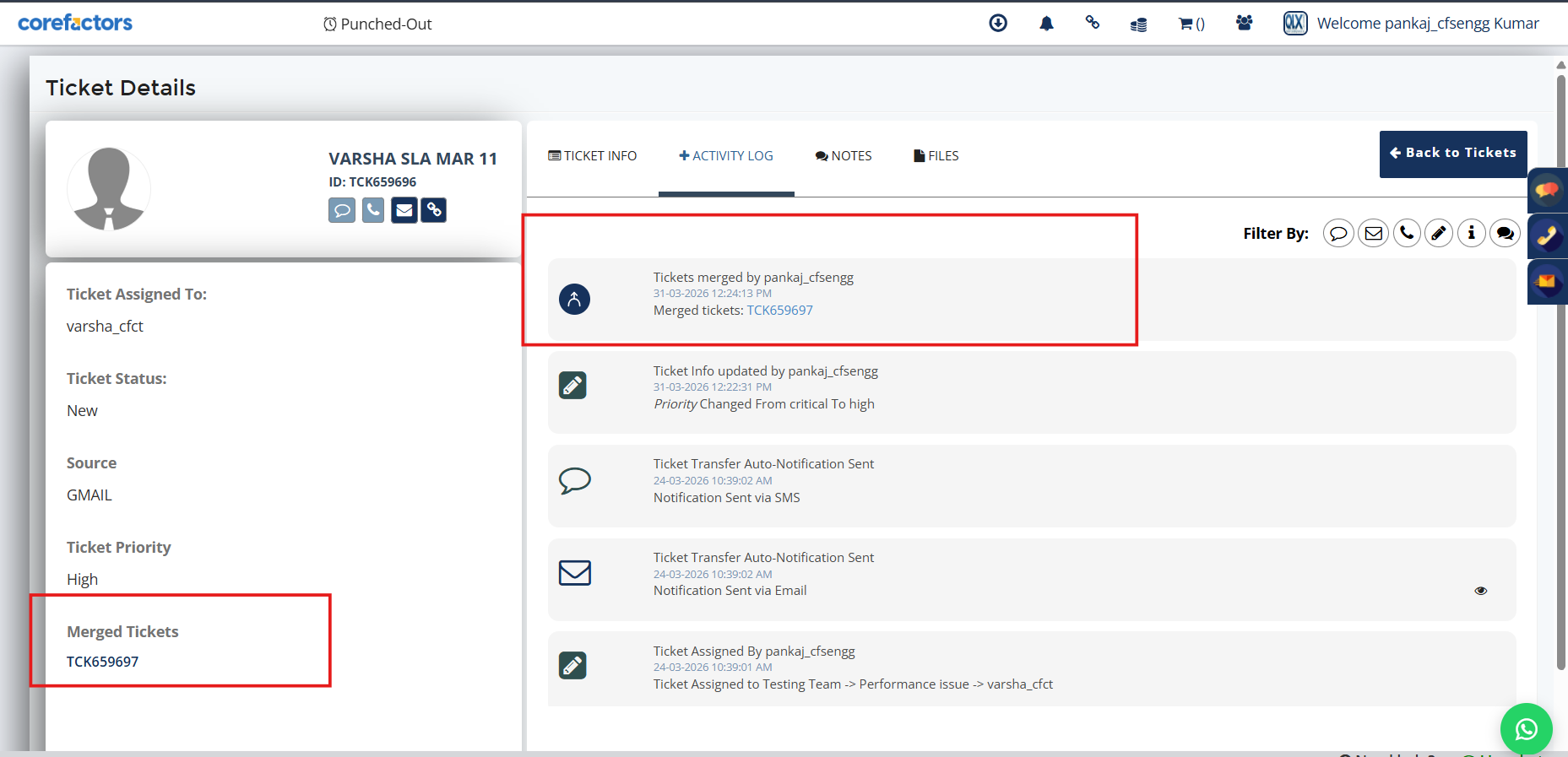
Merge actions are now captured inside the Ticket Activities timeline, including:
• Who performed the merge
• Which tickets were merged
• Merge relationship visibility between tickets
This provides better traceability and context during ticket handling.
Why It Matters
• Reduces duplicate ticket handling effort
• Keeps customer communication centralized
• Improves visibility into related tickets
• Maintains cleaner SLA tracking
• Helps support teams manage issues more efficiently



.png)


.png)