


User Report Enhancement – Improved User, Role & Package Visibility

The User Management page has been enhanced to provide a cleaner, more structured, and easier-to-manage user view for admins.
The updated experience improves visibility into user roles, privileges, packages, package limits, and attendance status while helping admins perform important actions faster from a single screen.
What’s New
Cleaner & More Consistent User View
The User Management table now maintains a more consistent layout with uniform row height, making user information easier to scan and read across large datasets.
Better Roles & Privileges Visibility
User roles are now displayed as compact chips for a cleaner view.
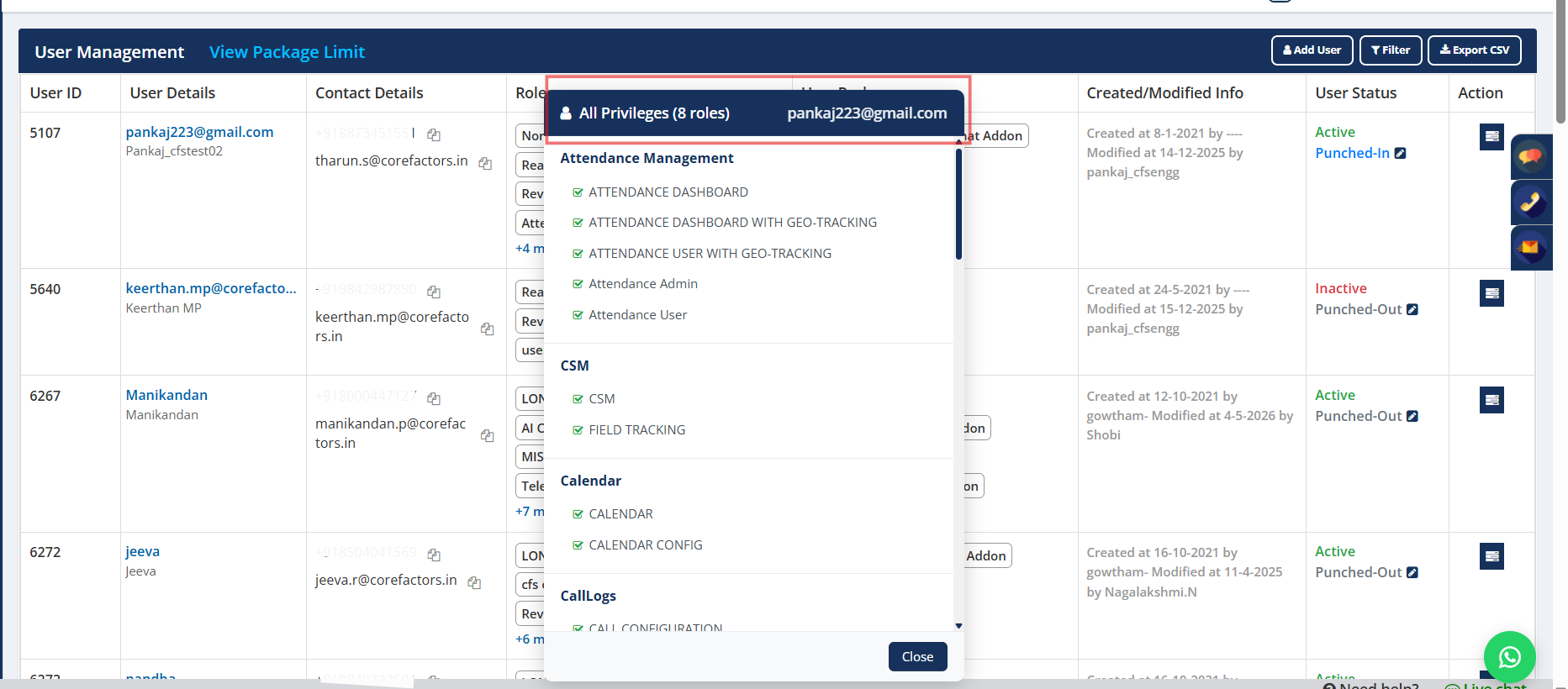
Clicking “+ more” opens a structured popup showing:
• All assigned roles
• Associated privileges for each role
This gives admins quicker visibility into user access and permissions without navigating away from the page.
Improved Package Visibility
Assigned packages are now displayed through compact package chips for better readability.
Admins can:
• Hover to view quick package details
• Click “+ more” to view all assigned packages in one place
This provides clearer visibility into user package allocation and add-ons.
Package Limit Visibility at a Glance
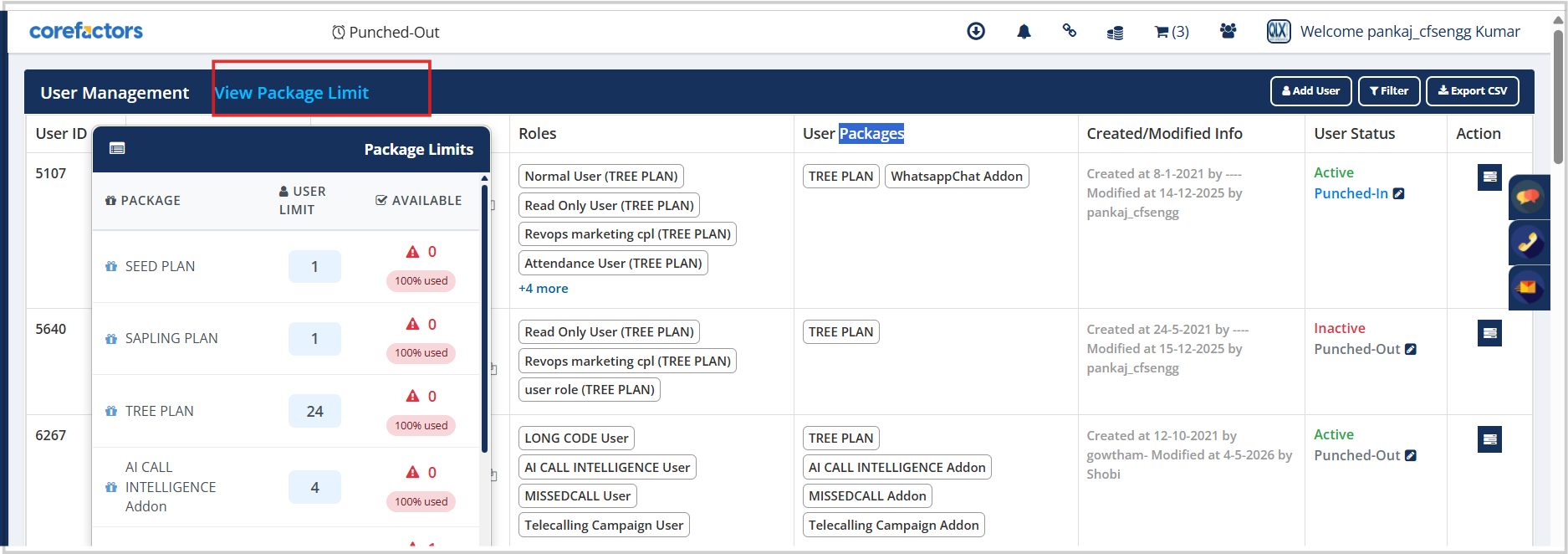
Admins can now quickly view package usage details through the View Package Limit option, including:
• Total user limit
• Available seats
• Usage percentage
This helps teams monitor package consumption more efficiently.
Inline Attendance Status Management
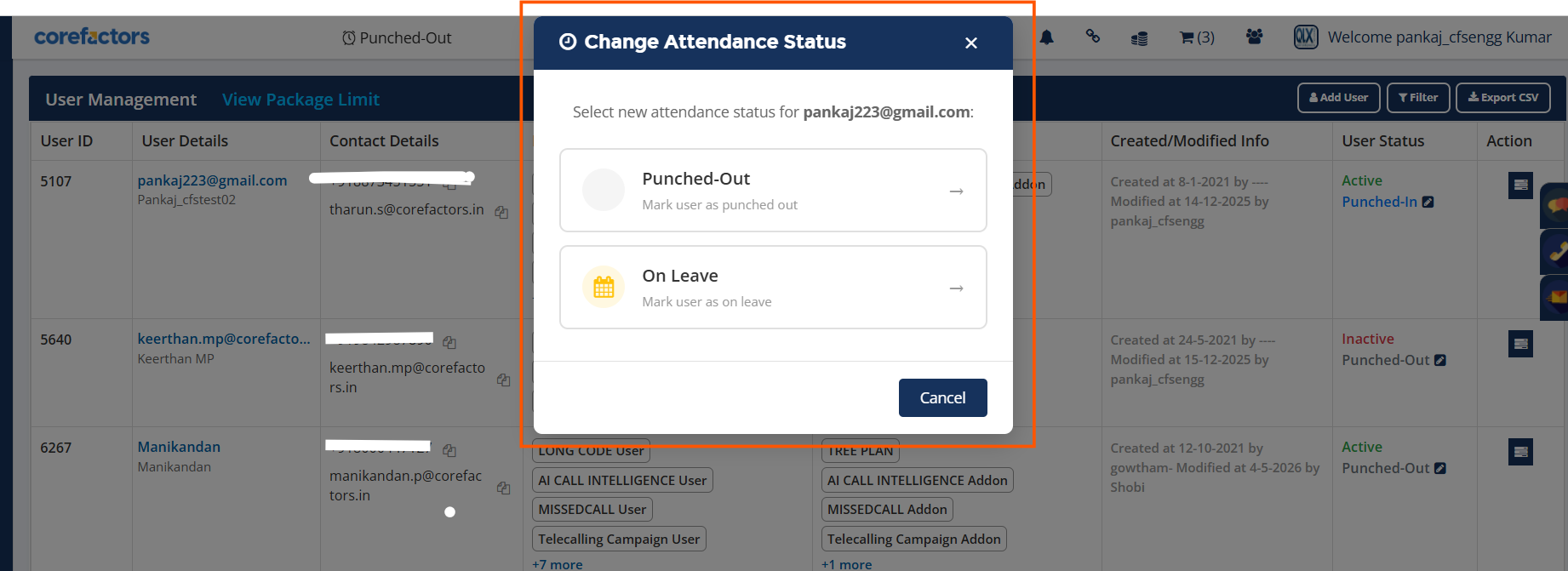
Attendance status can now be updated directly from the User Management screen.
Admins can quickly mark users as:
• Punched-In
• Punched-Out
• On Leave
This reduces navigation effort and makes attendance management faster and more convenient.
Why It Matters
• Faster access to user roles, privileges, and packages
• Better visibility into package allocation and usage
• Quicker attendance management from a single screen
• Improved readability and usability for large user lists
• More streamlined admin operations



.png)


.png)