


Module :
Lead Box
October 20, 2020
Default Filter Setting in Lead Box
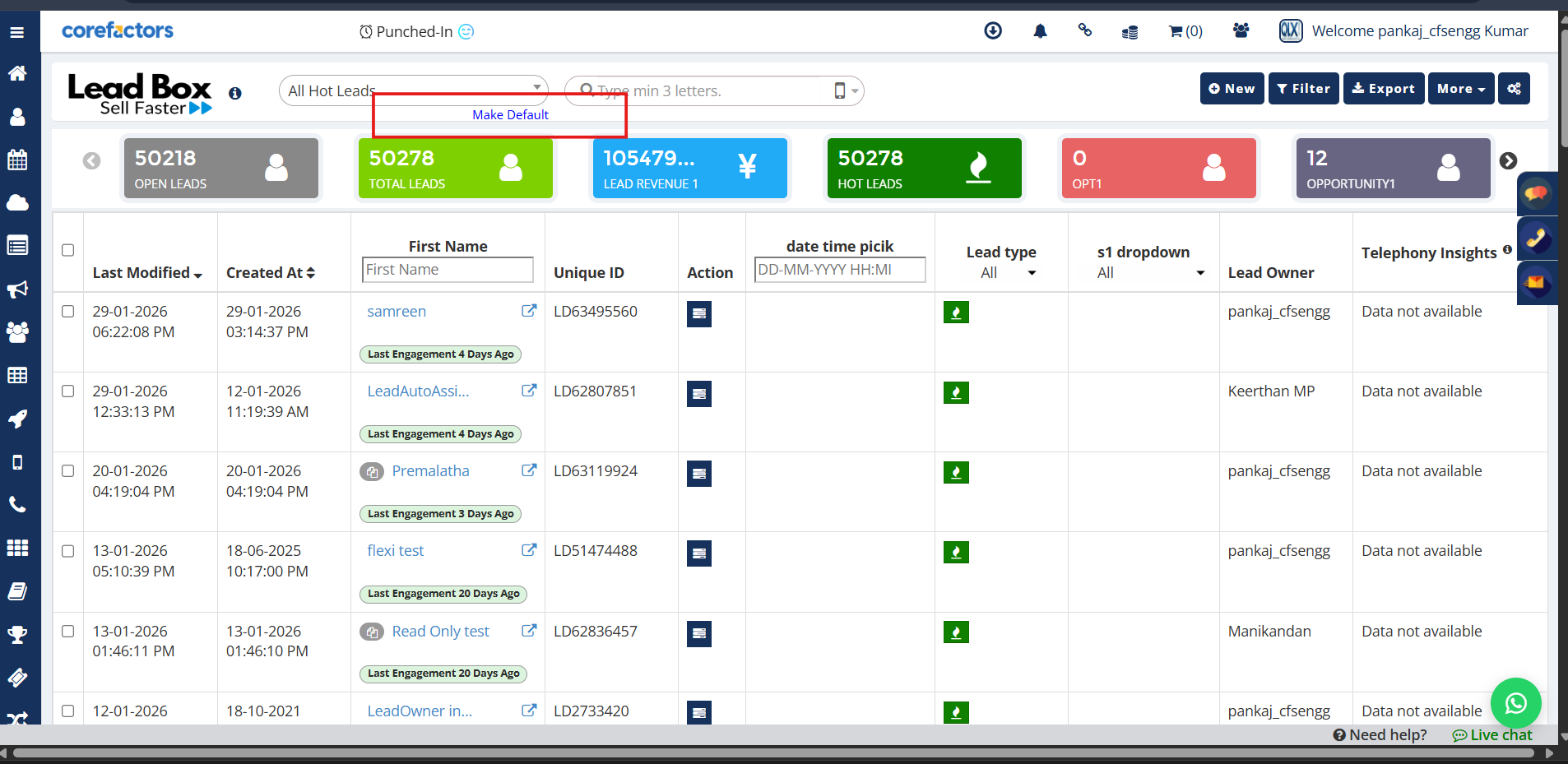
The new Default Filter Setting in Lead Box helps users personalize their working view by automatically applying their preferred filter whenever they open or refresh the Lead Box.
Instead of repeatedly selecting the same filter every time, users can now mark a filter as their default and start working on the most relevant leads instantly. This reduces repetitive effort and improves daily productivity for sales teams.
Key Improvements:
- Users can now set any saved filter as their Default Filter in Lead Box.
- The selected default filter is automatically applied when:
- Lead Box is opened
- The page is refreshed
- A new session is started
- One-click action: Users can simply click “Make Default” next to any saved filter.
- A clear confirmation message appears to inform users that the filter is now set as default.
- Users can change their default filter anytime by selecting another filter and clicking Make Default again.
- The default filter is user-specific, meaning it does not impact other users in the system.
Why It Matters:
- Saves time by eliminating repetitive filtering.
- Helps users stay focused on their priority leads.
- Creates a consistent and personalized Lead Box experience.
- Improves efficiency for sales agents and managers.



.png)


.png)